Dispensary POS features, with clear availability.
Blackleaf POS is in production in 11 states. Confirm POS AI and offline recovery scope for your store. Blackleaf has production Metrc approval. Review the workflows, devices and connections your store needs. Texting is available separately with supported existing POS systems.
In production in 11 states. Nevada, Ohio, and Colorado are expected in January 2027. See supported states.
Inside Blackleaf Point of Sale
See your day come together.
Explore the actual workspaces. Every screen below comes from the interactive demo with sample data.
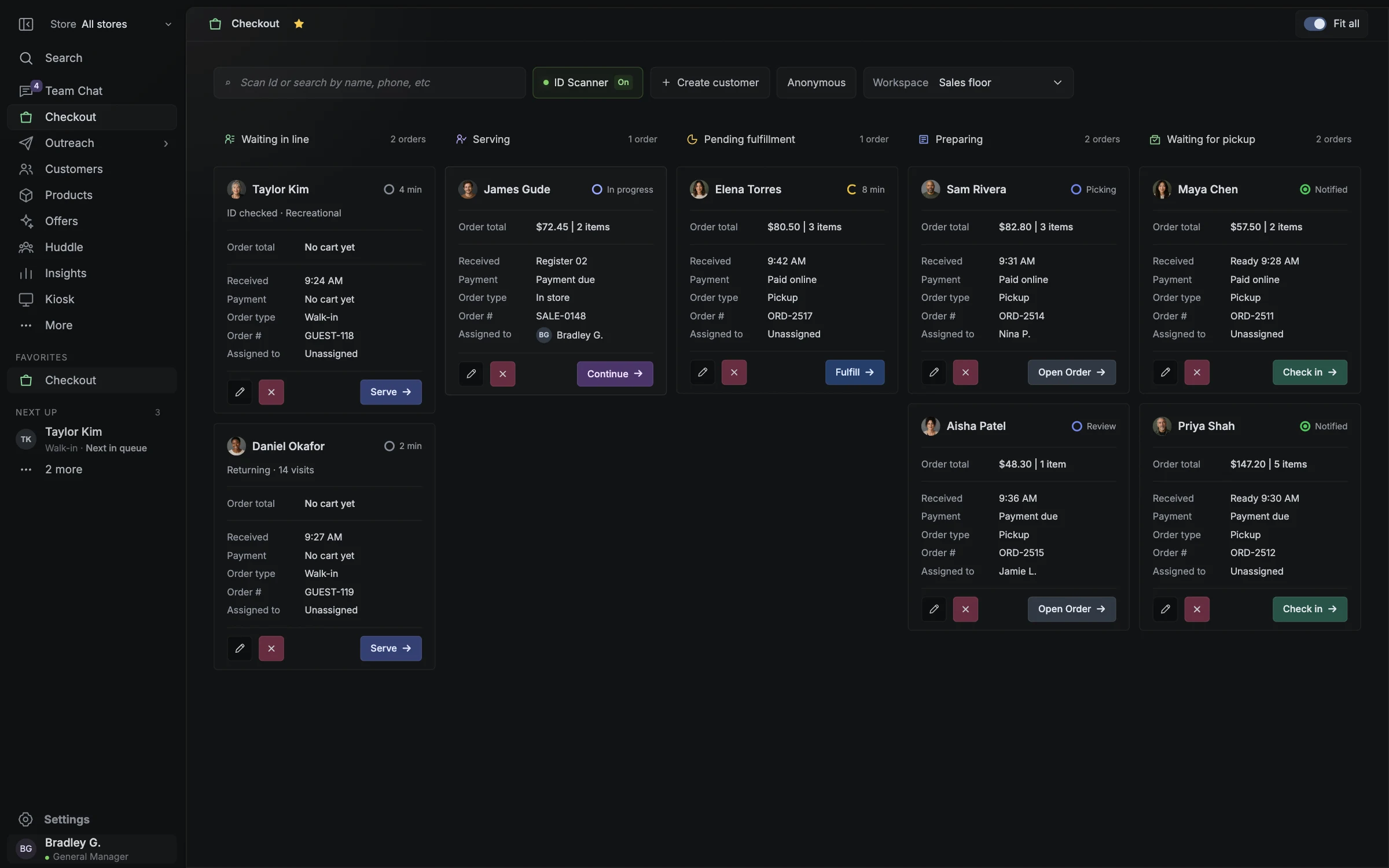
Checkout
See the floor. Know who’s next.
Explore Checkout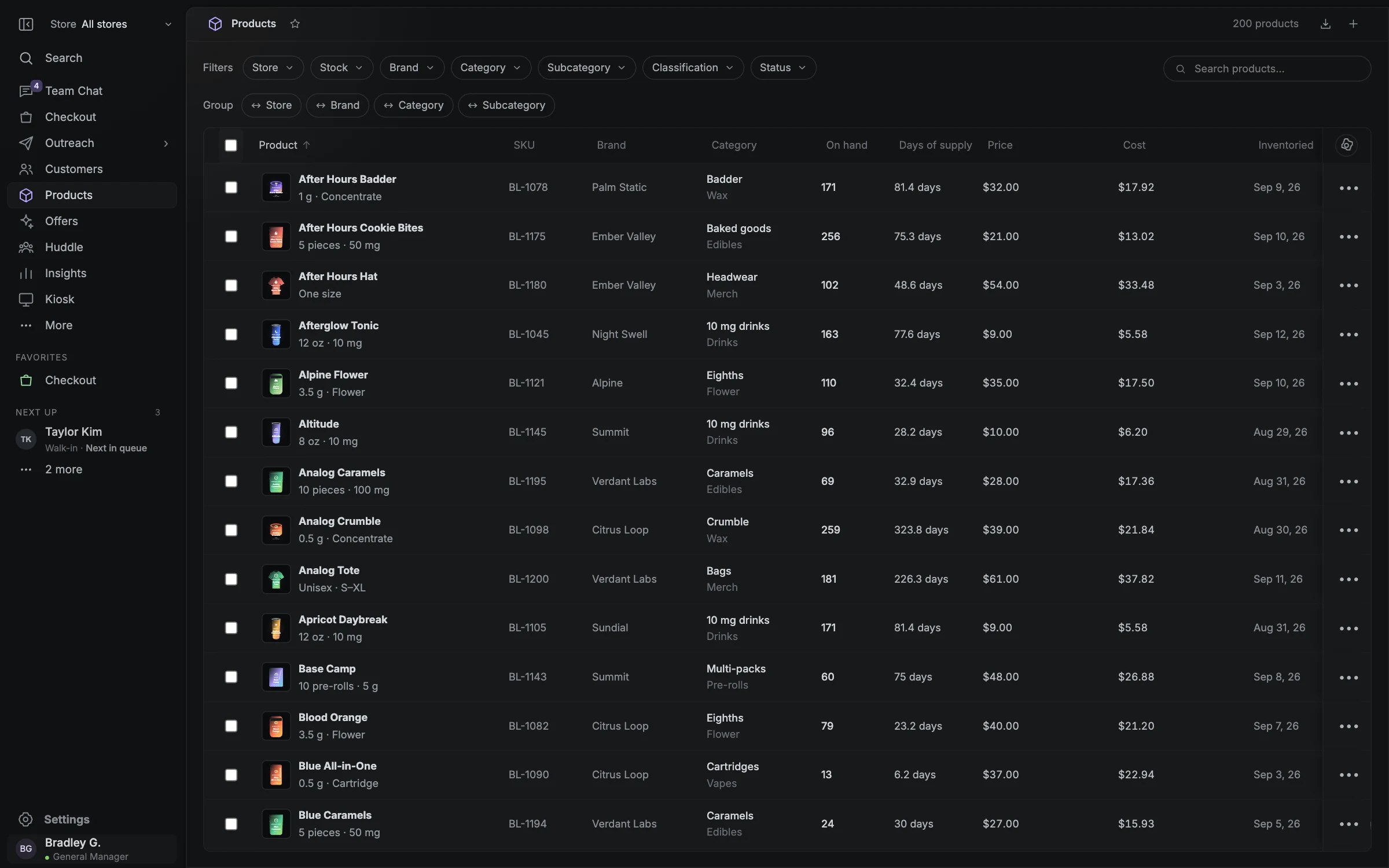
Products & inventory
Know what’s on the shelf.
Explore Products & inventory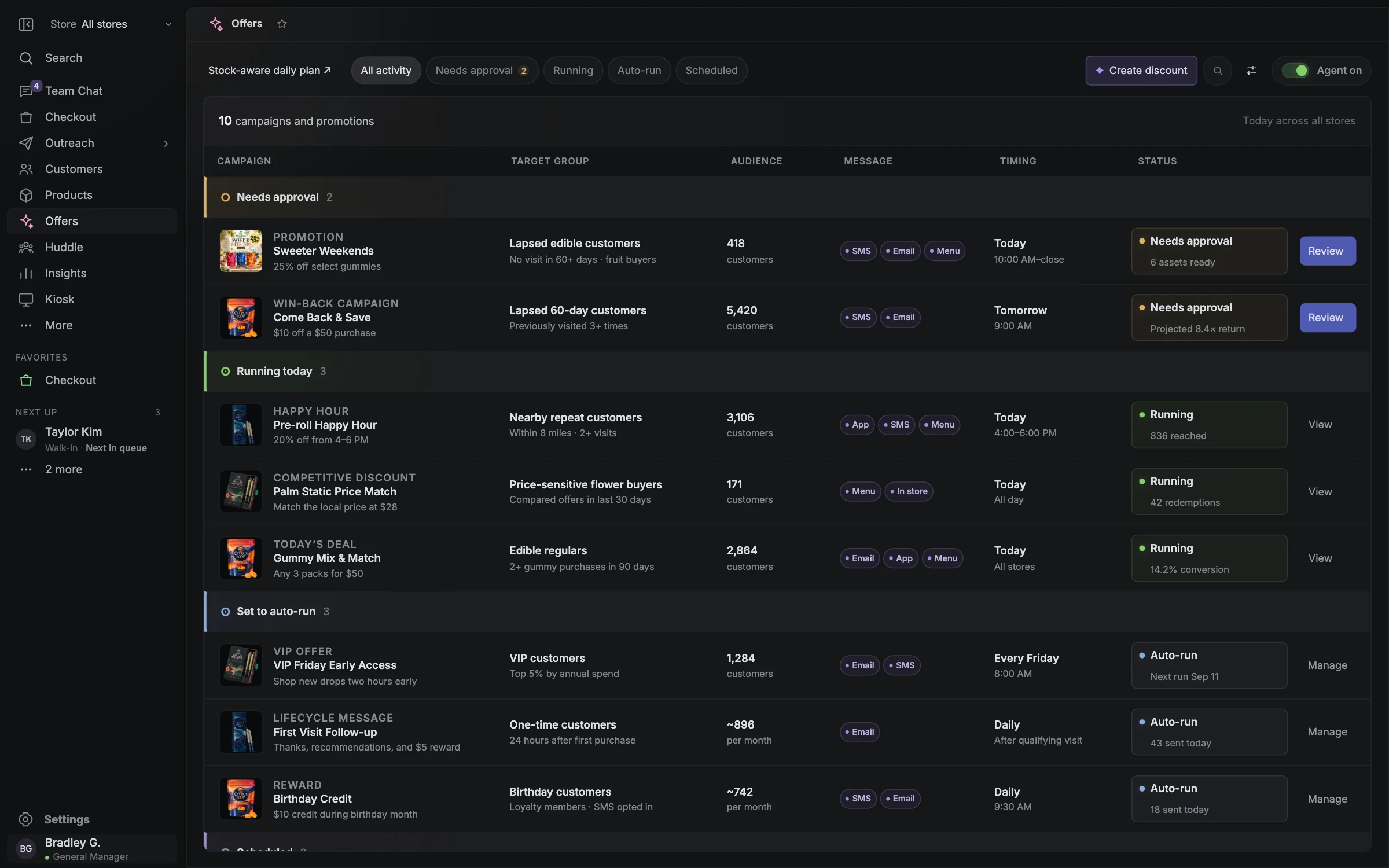
Offers
The offer. The audience. The next visit.
Explore Offers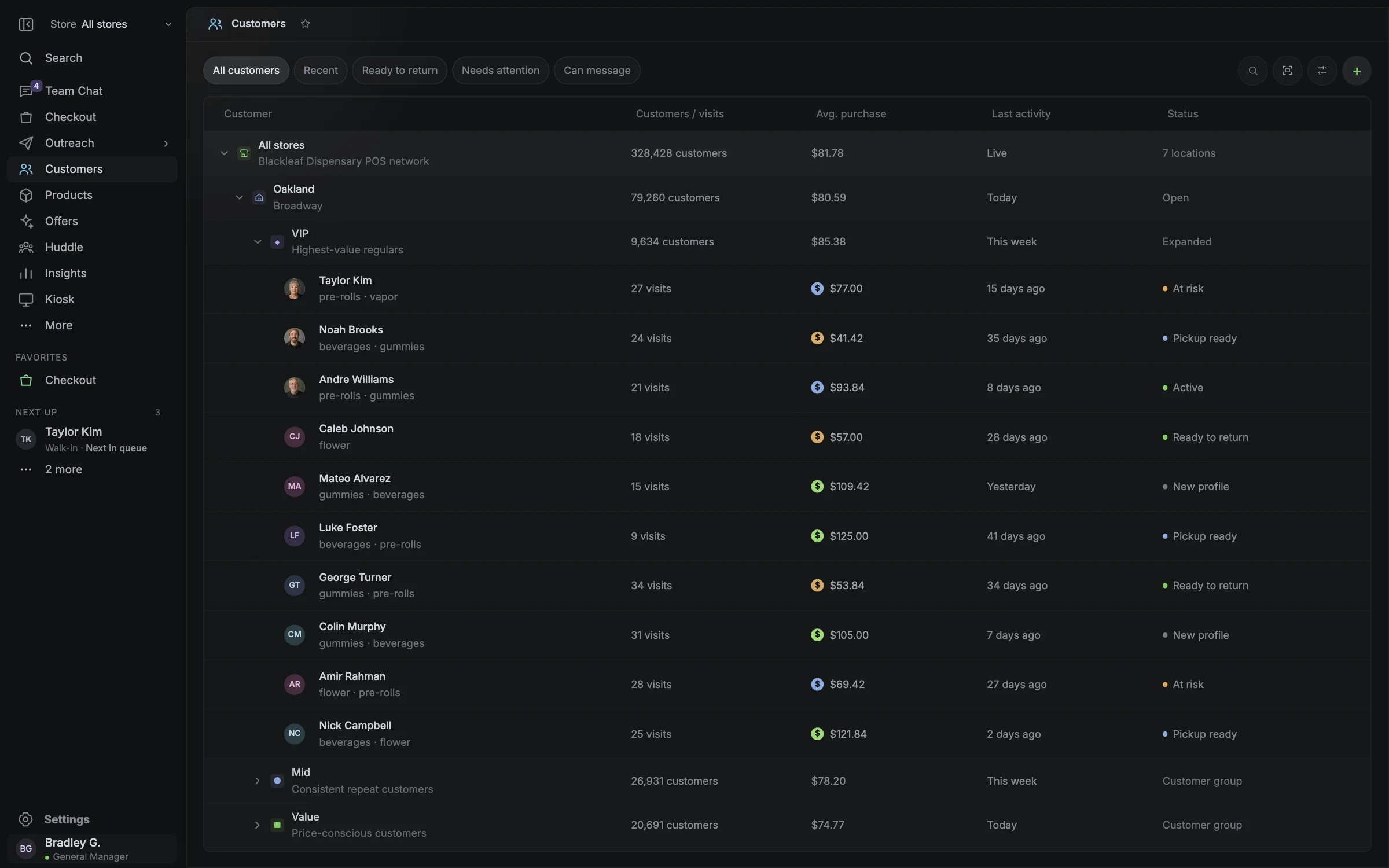
Customers
Make the next visit feel familiar.
Explore Customers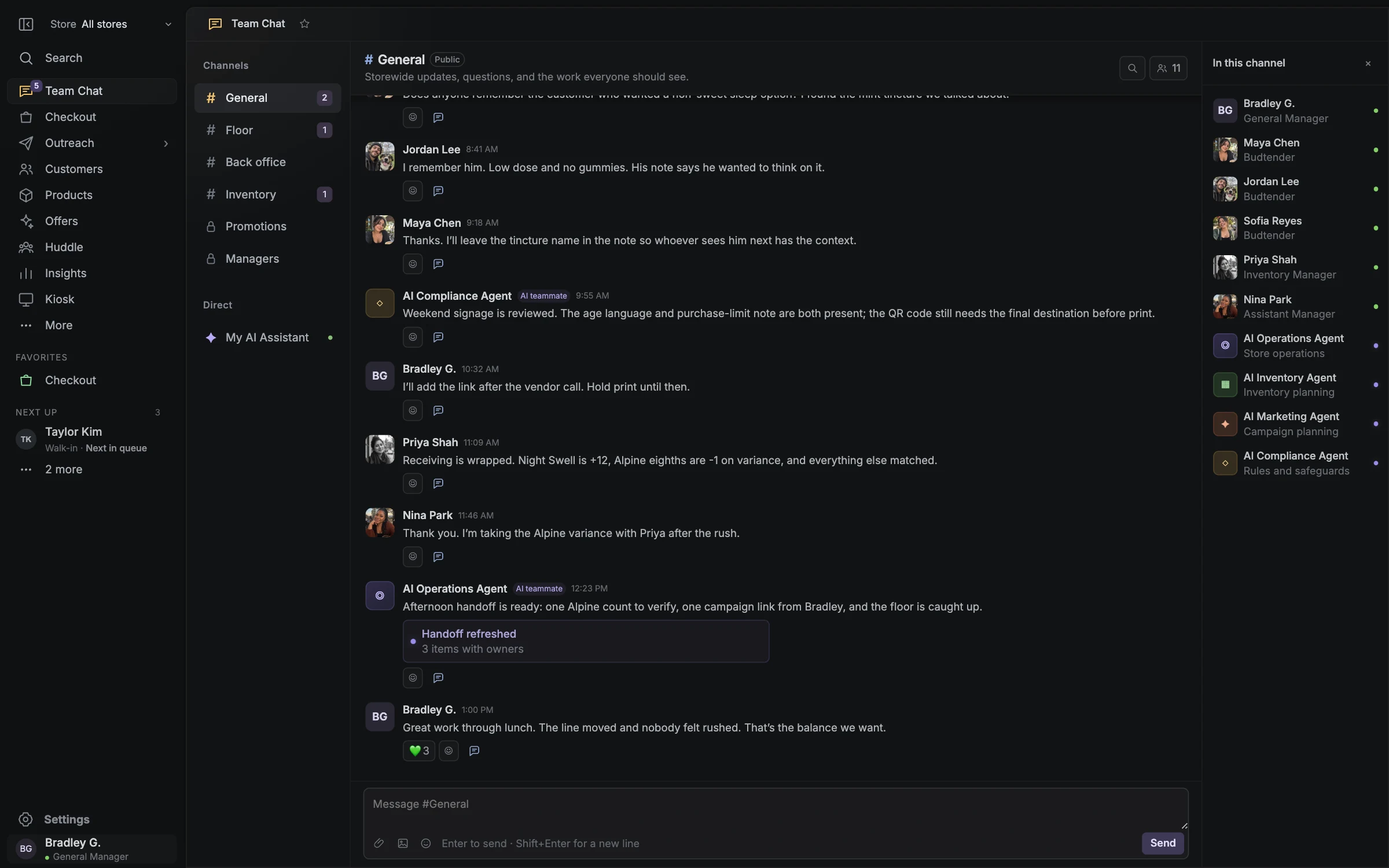
Team Chat · Team operations
Keep the next shift in the loop.
Explore Team Chat · Team operations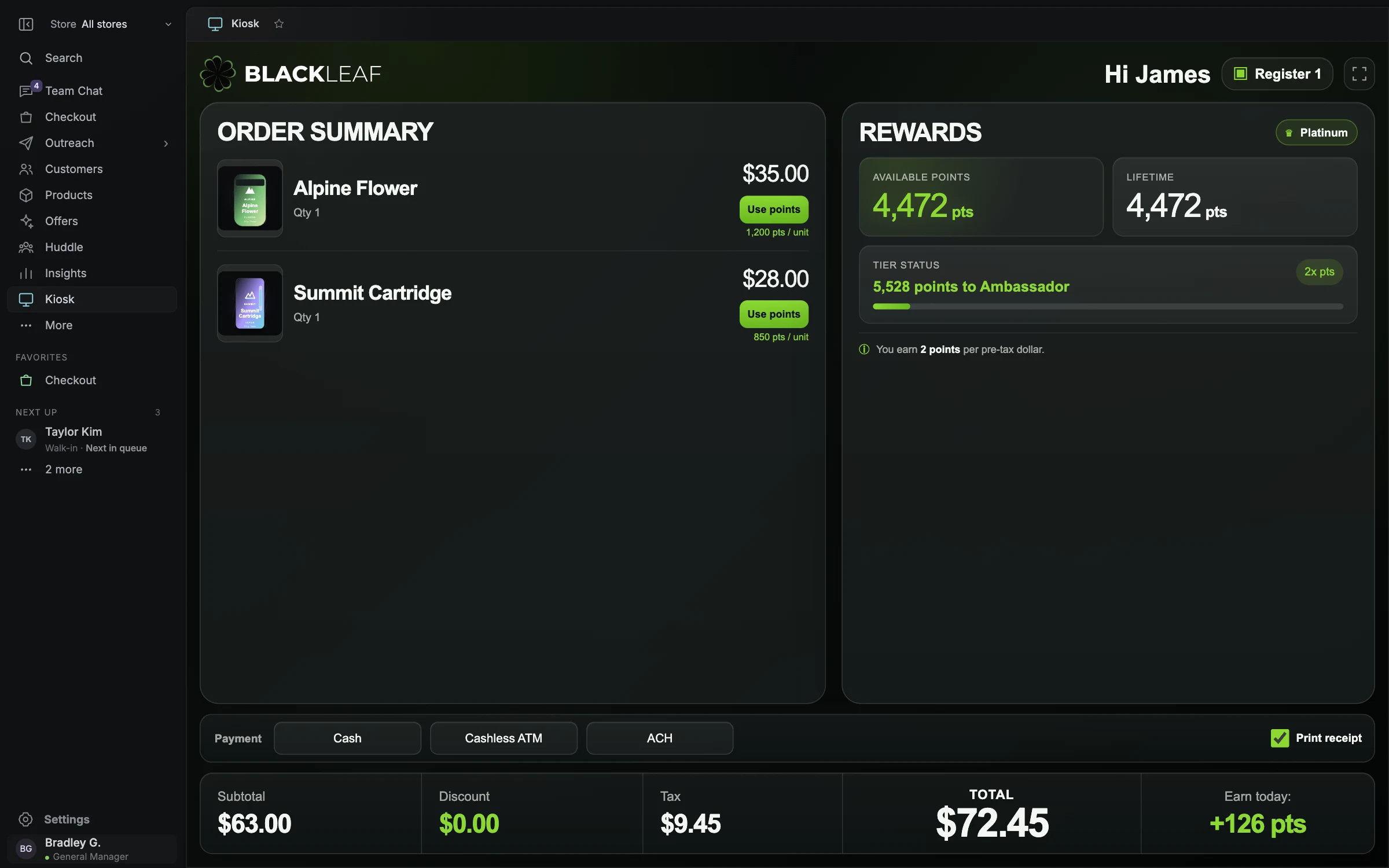
Customer display
Let the customer follow along.
Explore Customer displayRead availability before the feature list.
A working product, a sample screen and a confirmed store deployment provide different evidence. The gallery above shows the interactive demo with sample people, stock and results. It helps explain the workspaces; it does not establish live payment approval, a released AI agent, customer performance or support for every location. This status map was reviewed October 16, 2026.
| Area | Current position | Evidence to confirm for your store |
|---|---|---|
| Blackleaf Texting | Available separately; supported existing-POS workflows do not require Blackleaf POS. | Plan, eligible business and route, current permission, source fields and supported connection. |
| Blackleaf POS | Production system available in 11 states. | Licensed location, required operations, actual equipment and accepted deployment scope. |
| Metrc | Production approval. | Applicable jurisdiction, facility, supported actions and reporting readiness. Approval is not all-state coverage, a product endorsement or a compliance guarantee. |
| Offline checkout and Metrc outage recovery | Production offline checkout and Metrc recovery; validate the setup for your store. | Test store internet loss and Metrc downtime independently, including durable storage, automatic catch-up, duplicate prevention, restricted actions and recovery. |
| Connected POS AI and public POS interfaces | In production in California; confirm enabled actions for your store. | Released tools, permissions, approval and execution evidence. Existing messaging API or MCP access does not establish POS inventory, pricing or purchasing access. |
Find the workspace, then confirm the operation.
Use the following map to choose the detailed guide for each store requirement. It lists workflows to review, not a promise that every pictured control or requested action is enabled in every deployment. Record supported, pending or not needed beside each requirement, with the actual evidence, date and responsible reviewer.
| Workflow | Review before relying on it |
|---|---|
| Checkout and order queues | Walk-in, pickup and guest-order behavior; basket and price review; permissions; return and uncertain-payment handling. Queue status, payment and completion are different states. |
| Inventory and receiving | Product/package identity, units, location, holds, commitments, receiving, count corrections and external reconciliation. Recorded on-hand quantity is not automatically sellable stock. |
| Metrc integration and package reconciliation | Sync direction and frequency, package/manifest discrepancies before release, category and tax-rule mapping, voids and returns, staff audit history, facility-specific transfers and nightly reconciliation. |
| Offline checkout and Metrc recovery | Production continuity for internet loss and Metrc downtime, with permitted sales queued, reporting status visible and automatic catch-up. Electronic payment authorization remains a separate dependency. |
| Customers and rewards | Identity and duplicate matching, purchase/return history, staff visibility, earning and redemption rules. A customer record or loyalty balance is not permission for marketing texts. |
| Reporting and cash | Period, time zone, order states, discounts, returns, taxes, exports and reconciliation. Campaign attribution and incremental impact need their own definitions and evidence. |
| Ordering and customer displays | Actual source, stock timing, order destination, pickup/curbside/delivery scope and handoff. A paired basket display is different from a self-service ordering or payment kiosk. |
| Payments and equipment | Provider approval, supported tender and refund actions, actual device models, pairing, printing, scanning and settlement. Sample payment choices do not establish production support. |
| Multiple locations | Store/facility boundaries, roles, catalog versus stock, permitted customer/rewards sharing and portfolio definitions. First-store readiness does not establish next-store readiness. |
| Offers and team assistance | Available texting preparation has its own scope. Connected POS stock-to-offer workflows, purchasing recommendations and AI agents are in production in California; a draft does not execute a change. |
Keep a connection problem from becoming a lost record.
Blackleaf’s production offline recovery handles two different interruptions. Store internet loss can disconnect the register from POS services, Metrc and payment providers. When only Metrc is unavailable, checkout can remain online while reporting waits. Each mode has operating limits and requires a prepared, supported store setup.
- Keep payment authorization separate. An offline receipt or saved sale does not prove an electronic payment was approved or settled.
- Use explicit limits for stale stock, purchase-limit or patient checks, staff access and concurrent registers. Pause an action when the required current information is unavailable.
- Make recovery visible: pending, accepted, rejected and uncertain results, retry history, queue age and unresolved work. A reachable API alone does not mean the backlog is cleared.
- Reconcile POS, Metrc and physical package counts at close, with a common cutoff and outstanding events explained. An outage does not itself change a reporting deadline.
| Interruption | Intended POS behavior | Confirm before relying on it |
|---|---|---|
| Store internet is offline | Save permitted sales and reporting events on the prepared register before showing completion. Keep original receipt, package, quantity, staff and time references for later synchronization. | Durable storage through reload or restart; cached-data age; device and stock limits; allowed tender. Stop work that cannot be safely recorded or verified. |
| Metrc is down; store internet works | Keep permitted checkout moving without waiting for each Metrc response. Preserve reporting events with a visible pending state and resume eligible submissions automatically after recovery. | Reporting queue durability, last successful sync, oldest pending event, retry status and the store’s applicable outage procedure. |
| Connections recover | Reconcile local sales with the POS service, then send eligible reporting events in the required dependency order. Check uncertain outcomes before retrying. | One sale and one intended stock effect; accepted reporting references; void/return ordering; rejected records with a named resolution owner. |
Choose texting and POS on their own merits.
If the immediate goal is customer communication, start with Blackleaf Texting alongside your supported current POS. Campaigns, landing pages, replies and reviewed AI preparation are separate from replacing the register. Purchase-based audiences and order alerts depend on the actual available data, connection, plan and permitted use case.
- For a campaign, confirm customer identity, completed-purchase history where needed, current permission and opt-outs, audience exclusions, offer facts, sender, timing and destination.
- For an order update, confirm a supported event, current order state, correct store and recipient, and the permitted route. A customer import alone does not create a live order-event connection.
- Available AI texting tools can help prepare copy, artwork and inactive drafts within their supported scope. Keep that separate from connected POS AI agents in production in California.
- Assess a POS change for checkout, inventory, reporting, equipment and implementation. Neither marketing permission nor supported integration fields should be inferred from the POS name.
Turn required features into a go-or-hold decision.
Before accepting a California deployment, give each required workflow an expected result and an observed result in the approved validation environment. Keep missing evidence visible. A polished demo, a package name or production approval alone does not close the acceptance record. Use the implementation guide for the detailed migration and training plan.
- Confirm staff permissions with both an allowed and a denied action. A hidden control alone does not prove that a restricted action is blocked.
- Check an uncertain acknowledgement against the existing record before using a supported retry. Do not assume offline selling, live tender approval or external reporting continues when a connection fails.
- Confirm the complete written quote: package, locations, stations, equipment, setup, payments, messaging usage, support and applicable taxes or other charges. Software, Complete, and Managed support live POS.
- Recheck affected evidence after a device, connector, configuration, service channel or location changes. Release availability and a future plan remain separate.
| Decision | Record in your approved project |
|---|---|
| Scope | Store/facility and jurisdiction: ___ / Required operation: ___ / Confirmed support and date: ___ |
| Demonstration | Environment and version: ___ / Expected versus observed result: ___ / Evidence reference: ___ |
| Exceptions | Delayed, duplicate, canceled, rejected or unclear result: ___ / Approved recovery and responsible person: ___ |
| Readiness | Opening records, staff access, training, equipment and connections: ___ / Unresolved blockers: ___ |
| Approval | Accepted scope or hold reason: ___ / Reviewer and date: ___ / Support and follow-up owner: ___ |
Ask every provider what the feature actually does.
Use the same store scenarios when comparing providers. Cova describes checkout, inventory, reporting, offline operation and location-based access. Dutchie Nexus describes insights and approved actions. Flowhub MCP describes scoped writes with existing role permissions, activity logs and approval before writes. IndicaOnline describes read/write tools, action previews and change logs. These are current vendor descriptions reviewed October 15, 2026, not independent performance tests or proof that Blackleaf implements the same functions.
- Ask which product, plan, market, account and connector the demonstration uses. Public copy may not settle your exact deployment scope.
- For AI, separate reading information, preparing a draft and executing an action. Confirm data exposure, authority, preview/approval and the resulting record rather than relying on the label.
- Keep unsupported efficiency, revenue, reliability and compliance claims out of the decision. Record unavailable evidence and follow-up ownership instead of treating public absence as proof a feature is missing.
Bring one concrete workflow to the conversation.
Tell Blackleaf which store and licensed operation you need to support, the work you want staff to complete, the systems and devices involved, and what would count as an accepted result. Start with one useful texting workflow if that is the immediate priority, or review Blackleaf POS availability against your operating requirements.
- Keep requested features, confirmed current support and future work in separate fields. Agree who will resolve each open question.
- If measuring texting, distinguish delivery and replies, matched purchases, full costs and incremental evidence. An attributed sale is not proof the campaign caused an additional purchase.
Questions worth asking.
Clear answers for planning your store’s next step.
Is Blackleaf POS available today?
Blackleaf POS is in production in 11 states. Confirm the scope of Blackleaf’s production Metrc approval for your licensed facility. Confirm licensed-store setup, equipment, connections and onboarding. A production launch is separate from public self-service account activation.
Does offline checkout cover both internet loss and Metrc downtime?
Yes. Internet-loss checkout and Metrc outage recovery are production Blackleaf POS features in California. A prepared register saves permitted work durably during internet loss; during Metrc downtime, reporting waits in a queue. Test recovery, duplicate prevention and reconciliation for your setup. Neither mode guarantees offline electronic payment approval.
Will queued sales report automatically when Metrc recovers?
Automatic catch-up is part of Blackleaf’s production recovery workflow in California. Eligible queued events resume in the required order, respect API limits and retain acceptance references. Uncertain outcomes need an existing-record check before retry; rejected records need correction and an owner. Connectivity returning and every queued event being accepted are separate events.
Are all features shown here enabled for every store?
No. This is a capability and availability map. The gallery uses sample data, and the workflow table identifies requirements to confirm. Record the actual supported operation, product/version, environment, evidence date and accepted scope for the proposed store.
Does production Metrc approval cover every jurisdiction and action?
No. Confirm the jurisdiction, licensed facility, supported operations and reporting readiness separately. Production approval does not establish all-state coverage, every Metrc function, a general product endorsement or a regulatory compliance guarantee.
Are connected Blackleaf POS AI agents released?
Blackleaf POS AI agents and purchasing recommendations are in production in California. Confirm supported stock-to-offer actions and approval controls. A sample screen, recommendation or saved draft is not an executed price change, vendor order or customer send. Texting tools and messaging API/MCP access have their own scopes.
Do we need Blackleaf POS to use Blackleaf Texting?
No. Blackleaf Texting is available separately and can complement supported existing POS systems. Confirm your plan, available data, connector, current permission, exclusions and permitted messaging route. A POS replacement remains a separate store-operations decision.
Which payments, hardware and ordering connections are supported?
Confirm the actual provider, method, geography, device model, software version, connector and required actions for your deployment. A demo control or familiar vendor name does not establish every tender, refund, kiosk, delivery or real-time synchronization capability.
What evidence should we request before accepting a deployment?
Use expected-versus-observed results for the required operations, allowed and denied role actions, opening records, actual devices, connections and exception recovery. Keep evidence references, reviewers, dates, unresolved blockers and a go-or-hold decision. A completed first store does not establish readiness for another location.
Which plans support live checkout?
Software, Complete, and Managed support live POS. Confirm store availability, required equipment, and setup with Blackleaf.
Do sample screens establish customer results or checkout performance?
No. The gallery and interactive demo use sample people, stock, audiences and results. They illustrate the workspace without establishing production speed, availability, prediction accuracy, customer revenue or a live third-party connection.