Have the right products when customers want them.
Keep wanted products available, make receiving less repetitive, and bring evidence to the next vendor conversation.
Development preview · Availability and deployment scope confirmed for your store.
Products & inventory
Know what’s on the shelf.
Stock, days of supply, prices, and product details share the same workspace.
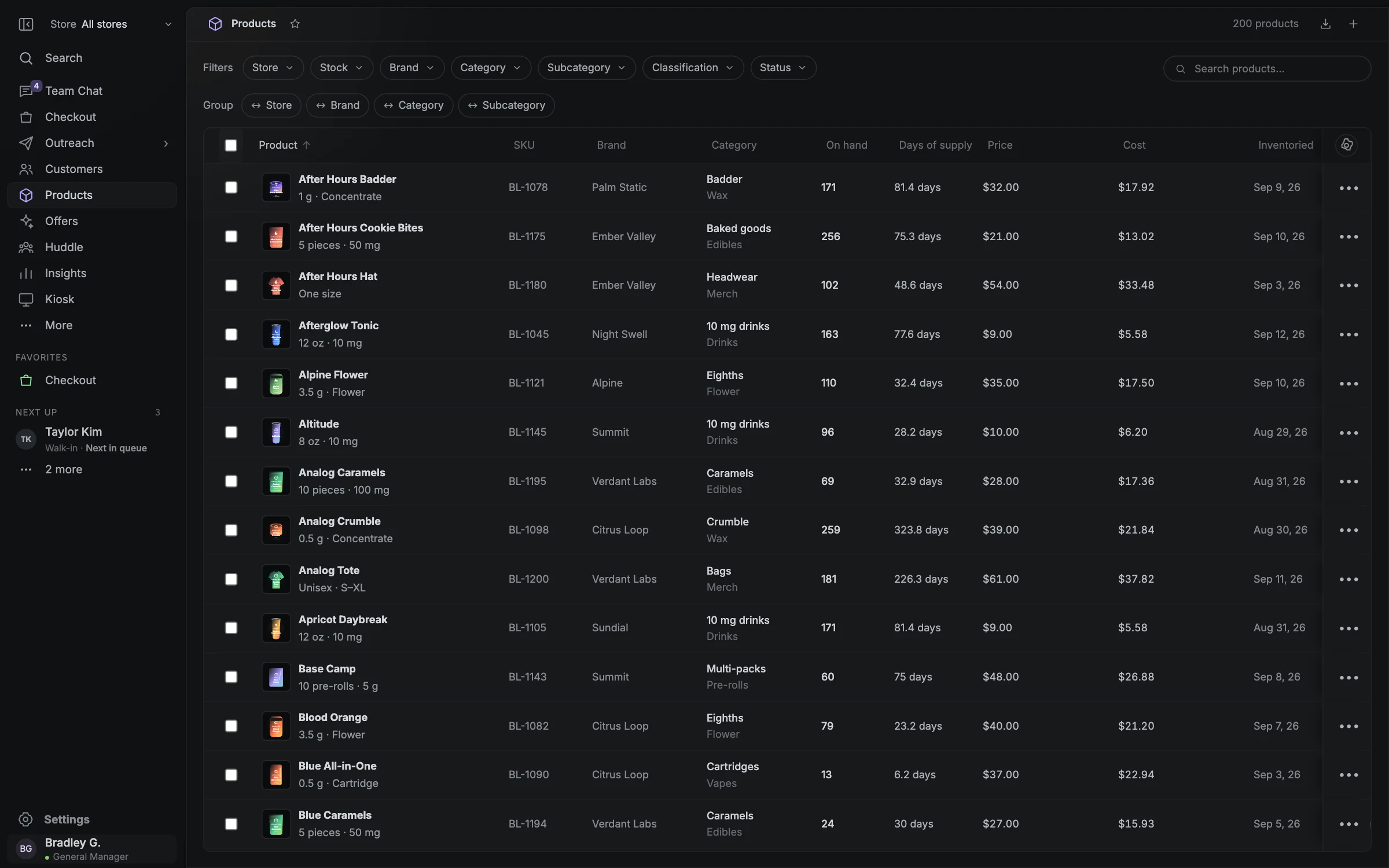
- On-hand stock
- Days of supply
- Product details
Catch the fast mover before the shelf is empty.
Buying decisions need more than the quantity on hand. The inventory direction combines sell-through, days of supply, reservations, open orders, and vendor lead times to prepare a better next buy. A busy weekend or holiday belongs in that conversation before the rush.
Receive once. Carry the details to the floor.
The preview connects receiving with product and batch records. Staff can review received quantities and testing details, then prepare unit labels and display cards from the same information. A short delivery or a damaged unit should remain visible as a difference to resolve.
- Keep ordered, received, held, and sellable quantities distinct.
- Use verified testing and product information for labels and displays.
- Track corrections as movements with a reason rather than silently replacing a balance.
Connect buying to what customers actually want.
A request for an unavailable product is useful buying information. Combine that demand with sales and slow stock to decide what to replenish, replace, or promote. The planned purchasing agents prepare the options and supporting context; a draft is separate from a placed vendor order.
- Promotion planning should use stock the store can fulfill.
- Confirmed vendor orders and expected deliveries need their own status.
- Production vendor ordering, forecasting, and Metrc reporting require confirmed integration scope.
Questions worth asking.
Clear answers for planning your store’s next step.
Will AI change prices, place orders, or contact customers without approval?
The intended model gives each store control over authority. Agents prepare the work against store-defined budgets, margins, audiences, and permissions. Purchases, price changes, outreach, and publishing require the appropriate approval before execution. Supported automation rules and approval controls must be confirmed for the deployment; a draft is not an executed action.
Does Blackleaf Dispensary POS integrate with Metrc?
Metrc reporting is part of the planned POS workflow. The current preview does not establish a live production Metrc integration. State-specific reporting, credentials, submissions, corrections, and reconciliation must be implemented and validated before activation. Confirm current coverage with Blackleaf Dispensary POS for your licensed location.
Can our technical team connect other software?
Documented POS interfaces, customer-authorized integrations, and data exports are core roadmap requirements. Review the actual available operations, permissions, event delivery, limits, and fees with Blackleaf before committing to an integration. The existing public Blackleaf messaging API should not be assumed to expose the developing POS functions.