Keep the line moving. Keep the visit personal.
See how Blackleaf Point of Sale connects walk-ins, online orders, and customer service in one checkout workspace.
Development preview · Availability and deployment scope confirmed for your store.
Checkout
See the floor. Know who’s next.
Walk-ins, active sales, and online pickup orders in one view of the floor.
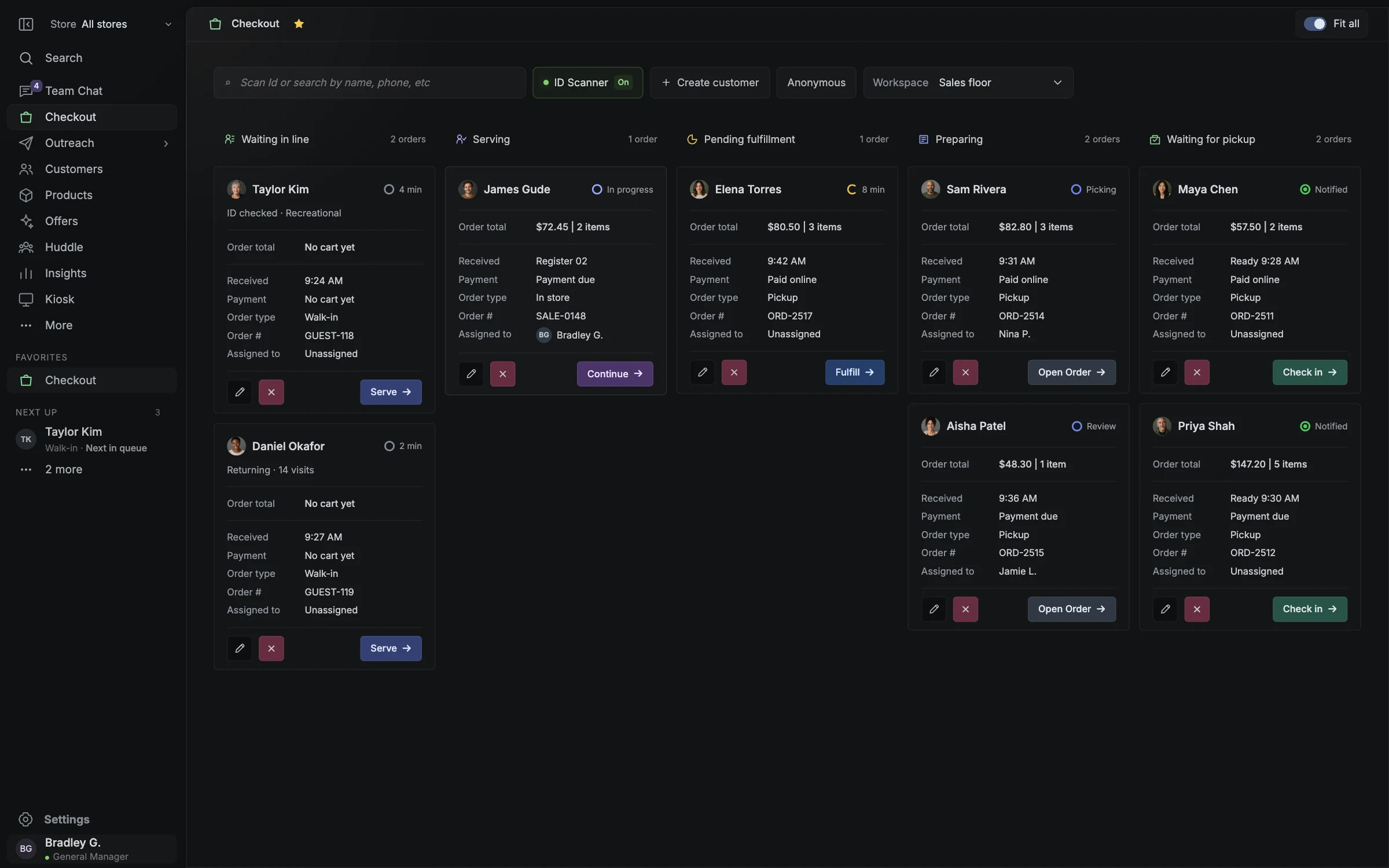
- Sales floor view
- Order ownership
- Next-step actions
Give every visit a clear next step.
A walk-in needs help while a pickup customer arrives for an order. The preview puts both in a shared queue with a clear owner and next action. Staff can use Sales floor, Curbside, Delivery, or an all-orders view for the work they handle.
| Visit | Progression |
|---|---|
| Walk-in | Waiting in line → Serving. |
| Online pickup | Pending fulfillment → Preparing → Waiting for pickup → Waiting in line → Serving. |
| Curbside | Preparation → Waiting for pickup → arrival at a parking spot → Waiting in car → Serving. |
| Delivery | Preparation and dispatch work in the delivery workspace. |
At the counter
A little context. A better conversation.
The basket, customer context, and suggested next action stay beside the sale.
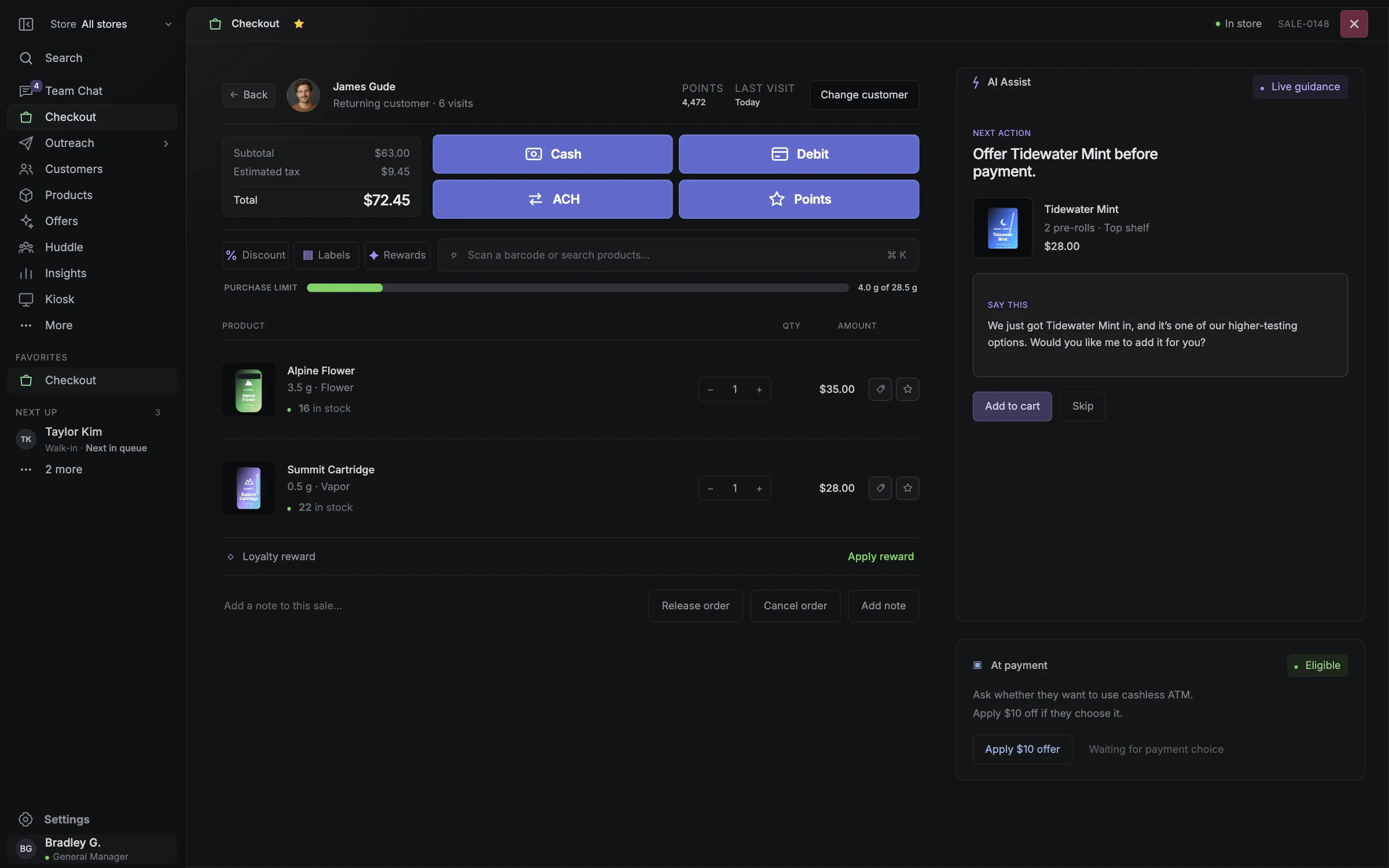
- Customer context
- Cart and totals
- AI Assist
Keep the conversation beside the cart.
Customer context, product information, discounts, and the basket stay together. The sample checkout includes guidance staff can use when a shopper cares about a format, budget, or available alternative. The budtender keeps their attention on the person in front of them.
A quick sale can stay anonymous.
The preview creates a separate anonymous contact for each quick order. That guest does not inherit another customer’s points or messaging preferences. Staff can explicitly assign the order to a person when appropriate.
- Review the items, discounts, purchase limit, and total with the shopper.
- Keep order readiness, customer arrival, and payment status distinct.
- Live payments, returns, reporting, and recovery behavior are confirmed and tested before deployment.
Questions worth asking.
Clear answers for planning your store’s next step.
Will Blackleaf Dispensary POS work offline?
Offline operation is on the roadmap. Offline settlement is not currently represented as production-ready. Your deployment review should specify what can continue without internet, which actions are restricted, and how payments, inventory, permissions, and reporting reconcile after reconnecting.
How does POS fit with loyalty and customer history?
The POS direction reuses Blackleaf’s existing customer and rewards foundation. Current development includes customer and rewards context; production earning, redemption, historical migration, and related checkout behavior must be confirmed in the rollout scope. Customer data is not, by itself, marketing consent.
Which payment methods are supported?
Payment methods and providers are confirmed during store onboarding. The development preview is not a promise of live card processing, cashless ATM, ACH, or offline payment support. Ask for the permitted tender types, provider terms, fees, and refund behavior in your deployment scope.