- Download the migration worksheets
- Build a migration timeline with go-or-hold gates
- Agree on the exit and cutover before exporting
- Map records by meaning, not just column name
- Keep permission and suppression as separate decisions
- Reconcile rows, people and send eligibility separately
- Verify numbers, domains and source connections separately
- Rehearse the cutover before activation
- Ask vendors for the evidence their documentation leaves open
- Finish the move with a signed-off operating record
- Frequently asked questions
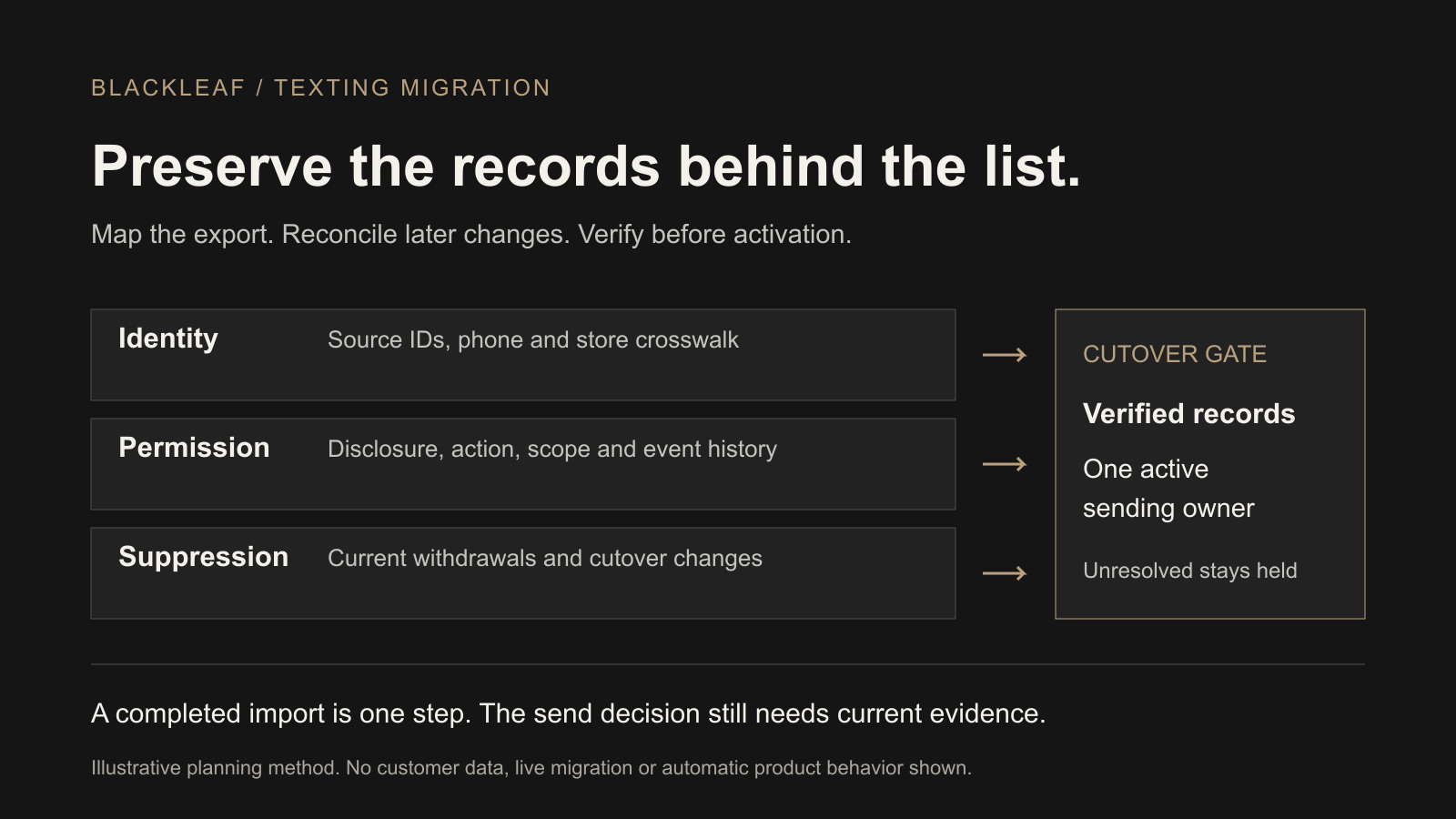
A dispensary texting migration should preserve customer identity, permission evidence and current suppression before the new provider sends. Map what each field means, reconcile changes received after the first export, test the destination with approved records, and give each workflow one active sending owner at cutover.
This checklist is for a team replacing its texting provider. It adds a field-mapping ledger and acceptance worksheets to the broader provider-selection guide. For a POS change, use the POS integration and portability guide; for account setup, use Blackleaf onboarding.
Download the migration worksheets
Download the field-mapping worksheet (CSV) · Download the migration acceptance worksheet (CSV)
The first file has 20 record and dependency rows; the second has 12 test cases. Open them in a spreadsheet, assign an owner, and record the actual export column, destination process, evidence and result. Every row starts not_tested. These are planning worksheets, not vendor contact-import templates or an automatic migration tool. They contain no customer data and perform no actions.
Keep completed copies in your approved private workspace. Link to protected evidence instead of copying full customer exports, credentials, medical records or identity documents into a shared checklist.
Build a migration timeline with go-or-hold gates
Turn the mapping and acceptance worksheets above into a draft operating timeline. Choose a proposed cutover day, assign owners and record the final source-change cutoff. The starting offsets are illustrative calendar prompts, not provider lead times, a porting estimate or a promise of zero downtime.
Enable JavaScript to build the draft. The existing CSV worksheets and manual sequence below remain available.
Milestones use calendar dates in the stated planning zone. They do not set execution hours. Record actual same-day handoff times, current source timestamps and approved evidence references in the notes. Rebuilding replaces stage edits; download your draft before leaving this page. No plan is stored here.
Team-recorded planning information only. A “Review recorded” state is your assertion, not an observed test result from this tool. “Ready for human go/hold review” does not approve activation, a transfer, a live test, cancellation or deletion.
Use the manual timeline sequence
- M1 · Source access and exit terms: start with the export/access deadline, exit terms and protected source archive. Initial prompt: 14 days before cutover.
- M2 · Mapping and permission/suppression: depends on M1. Use the 20-row field worksheet and resolve gaps. Initial prompt: 10 days before.
- M3 · Sender, route and connections: depends on M1; can run alongside M2. Use confirmed provider timing instead of assuming seven days is enough. Initial prompt: 7 days before.
- M4 · Rehearsal and acceptance: depends on M2 and M3. Record the 12 acceptance cases and authorized evidence; skipped tests stay unresolved. Initial prompt: 3 days before.
- M5 · Cutoff, inbound ownership and recovery: depends on M4. Plan old queues, one active send owner per workflow, inbound withdrawals and recovery. Initial prompt: 1 day before.
- M6 · Final delta and go/hold review: depends on M5. Reconcile through the recorded cutoff, verify current suppression and record the actual decision in your approved operating record. Initial prompt: cutover day.
- M7 · Monitoring: depends on M6. Assign receipts, failures, replies and suppression review. Initial prompt: 1 day after.
- M8 · Exit and retention review: depends on M7. Confirm the transition and actual access/billing/retention terms before any separately authorized exit action. Initial prompt: 3 days after.
This planner changes no account, number, sender, import, schedule or service. Do not cancel an old service based on a proposed date. Provider readiness and fresh permission/suppression evidence can move the timeline. Keep personal records, credentials and private evidence links out of this page; use short internal reference labels in a protected working copy.
For observed outcomes after an authorized cutover, use the deliverability diagnostic tree. Supported existing-POS Texting can remain in place without a Blackleaf POS switch.
Agree on the exit and cutover before exporting
Name the people responsible for the source export, permission review, destination import, sender setup and final activation. Record the old account’s cancellation and renewal terms, export access deadline, permitted retention, fees and any notice period. Ask for a sample export while the account is still available.
Inventory every source of outreach: scheduled campaigns, recurring automations, Texting Agents, manual sends, order alerts, API jobs, signup confirmations and staff inboxes. Identify which can continue, which must hold and how inbound withdrawal requests will be handled during the transition. Leaving an account open for reference does not mean its automations should remain active.
Use a dated cutoff and a change ledger. Record the first export’s extraction time and time zone. Capture later signups, withdrawals, changed phone numbers, purchases and open conversations until the new process becomes authoritative. A file exported on Monday does not contain a withdrawal received on Tuesday.
Map records by meaning, not just column name
Keep the original export unchanged in a protected archive. Work on a versioned mapping copy, retaining source system, source record ID and a crosswalk to the destination record. A phone number is a contact route; it may be shared, corrected or reassigned. A name match alone is not a reliable merge rule.
| Record group | Preserve and verify |
|---|---|
| Identity and stores | Stable source/customer IDs, phone and country, store/entity IDs, destination crosswalk, duplicates and changed-number exceptions. |
| Permission evidence | Channel, purpose, sender scope, disclosure/version, affirmative action, event ID, event time/time zone and required confirmation history. Preserve a protected evidence reference if the destination cannot hold the complete record. |
| Suppression | Current applicable withdrawals, scope, receipt/processing times, subsequent valid re-enrollment evidence and changes received during the cutover. Confirm enforcement across the actual send paths. |
| Customer context | Available completed purchases, returns, preferences and store association, with history coverage and refresh time. Transfer only fields the supported workflow needs. |
| Messages and replies | Recent sends needed for frequency limits, delivered/failed/unknown definitions, open support threads and staff ownership. Exported reports may not contain reply bodies or full event history. |
| Rules and dependencies | Audience definitions, exclusions, triggers, waits, time zones, approvals, source mappings, sender control, domains, links, forms and QR codes. Contacts alone do not recreate these objects. |
For each destination field, ask whether an import creates a record, merges it, replaces a value, keeps the first value, adds an adjustment or invokes an explicit override. Test blanks, false values, duplicate identifiers and repeated files. A column called “signup date” may mean loyalty enrollment rather than SMS permission; a points field may be an adjustment rather than an absolute balance.
If loyalty, app wallets or rewards are outside the texting move, record their dependencies without importing balances unnecessarily. Keep patient details and identity documents out of marketing files unless the actual supported purpose and requirements justify them.
Keep permission and suppression as separate decisions
Use review dispositions such as eligible for this scoped program, withdrawn, pending and unresolved. These are planning labels, not universal importer field values. Eligibility still depends on the actual message, current source facts, supported provider setup and applicable requirements.
Arrange the destination’s supported suppression handoff separately from any opted-in contact import. Do not upload withdrawn contacts as subscribers or enable an “opt in all” setting to simplify reconciliation. Preserve the authoritative suppression evidence even if a contact is excluded from the sendable list.
Compare event time with import time. An old opt-in imported late must not silently reactivate a newer withdrawal. A purchase, loyalty update or staff checkbox is not fresh permission. Hold missing or conflicting evidence for review; do not text an unknown list merely to ask whether it wants texts.
A software change does not create new customer permission. Check the original sender, channel, purpose and disclosure against the proposed use. A brand, licensed-entity or purpose change needs separate review. The consent and withdrawal guide explains the current rule, provider and jurisdiction distinctions; this operational worksheet is not legal approval or a universal retention policy.
Reconcile rows, people and send eligibility separately
Fictional teaching example: an export contains 100 rows representing 90 candidate customer identities after review. Ten rows are duplicates. The 90 identities receive the following review dispositions. These numbers illustrate reconciliation only; they are not a customer result or a recommended migration acceptance rate.
| Review disposition | Illustrative count and treatment |
|---|---|
| Eligible for the scoped program | 40 identities with the reviewed evidence; still subject to current messaging and provider checks. |
| Withdrawn | 20 identities whose applicable suppression must remain effective. |
| Pending | 10 identities awaiting a required confirmation step; keep them held. |
| Unresolved | 20 identities with missing or conflicting evidence; keep them held and assign review. |
| Reconciliation | 40 + 20 + 10 + 20 = 90 candidate identities. The 10 duplicate source rows remain traceable; they are not 10 additional people. |
A destination total of 90 could still be wrong if the 20 withdrawals became eligible or two unrelated people were merged. Reconcile identity matches and dispositions as well as totals. Separately account for rejected rows, invalid numbers, unmapped stores, missing fields and records deliberately left out of the destination.
Before retrying a failed or timed-out import, inspect what the destination already created or changed. Resolve accepted, rejected and unknown rows; retry only through the supported process. Deleting an uploaded file may not reverse its effects, and restoring an old export may reintroduce stale permission.
Verify numbers, domains and source connections separately
For each sending number, confirm who controls the account, whether transfer is supported, which service is moving and what happens to voice calls, inbound texts and messaging readiness. Agree on the receiving provider’s business/use-case acceptance and required sender setup. Do not assume the number, registration, message history and customer data move together or on the same schedule.
Keep the existing service and number active through the agreed transition until the providers confirm the relevant changes. Do not promise zero downtime or an instantly reversible port. If a new sending identity is needed, plan recognition, inbound support and the permitted customer experience without treating unknown contacts as a notification audience.
Inventory link domains, landing pages, signup forms, keywords, receipts, QR codes, app/wallet destinations and API callbacks. Test the exact mobile destinations and reply route. Redirecting a form should preserve its intended disclosure and evidence capture rather than silently changing the sender or purpose.
A texting-provider change can leave your POS in place. Confirm the actual supported connection, source IDs, history and update timing. Rebuild purchase-driven segments only when their required fields and current exclusions are available; an imported contact list does not supply a live purchase feed.
Rehearse the cutover before activation
Use agreed isolated test records and permitted recipients. Keep sends and automations held until the relevant checks pass. The acceptance CSV provides a place to record expected behavior, actual result, evidence, owner and retest; mark a skipped or inaccessible test not_tested, not passed.
| Test | Observe in the destination |
|---|---|
| Newer withdrawal, older file | Current applicable suppression survives the import and holds affected scheduled, automated and manual outreach. |
| Pending or missing evidence | The record stays held; defaults or automatic enrollment do not mark it confirmed. |
| Shared number or duplicate file | Ambiguous matches are flagged and reviewed; repeated work does not duplicate people, balances or events under the agreed process. |
| Change after export | A later withdrawal, changed number or relevant purchase reaches the new workflow before affected work resumes. Record observed receipt and processing times. |
| Two active accounts | Each workflow has one sending owner. Old scheduled campaigns, waits and retry queues are reconciled; replies and withdrawal requests have a staffed owner. |
| Sender and customer journey | Approved test actions show the intended identity, working links, reply handling and supported opt-out process. Distinguish acceptance, delivery and customer action. |
At cutover, hold the old sending workflows, capture final changes, reconcile the new records and pending work, and document the activation decision. Enable only the tested workflows. Monitor initial results and route failures to a named owner. The workflow evaluation guide provides a deeper record for changed approvals and uncertain execution.
Define recovery before launch: what can be paused, which system retains current suppression, how the latest changes will be preserved, and who may authorize a retry or reversal. Returning to an old platform must not roll back newer withdrawals. A delivered text cannot be recalled by restoring a file.
Ask vendors for the evidence their documentation leaves open
Official sources reviewed October 15, 2026. The examples below describe documented behavior, not independent migration results or a claim that every account is identical.
- AIQ’s bulk-import guide documents settings that override supplied opt-in statuses, a points field that adds rather than sets a balance, and duplicate phone/email records that may merge and combine points. Its audience guide also notes account-dependent export access. Inspect the current file format and options rather than assuming every CSV behaves alike.
- Springbig’s published terms describe customer responsibility for data quality and permission. Ask for actual permission and suppression exports, their field meanings and the account’s exit/access terms. General opt-out features do not establish the completeness of a migration file.
- Leafbuyer’s FAQ describes CRM context across POS, ecommerce and messaging, plus loyalty, apps and onboarding imports. Confirm which history, replies, rewards and app dependencies move with the texting change, and what must remain available or be rebuilt.
- Flowhub’s customer-upload guide warns that uploading the same spreadsheet twice can create duplicate customers and explains correcting an error file. This is POS-specific behavior, not a Blackleaf import specification; it illustrates why recovery must be tested for the actual destination.
Missing public detail is a question to resolve, not proof a vendor lacks an export or migration feature. Ask for a permitted sample, a scoped demonstration and a complete quote. No provider’s contact count, registration or platform label guarantees permission, delivery or a lossless transition.
Finish the move with a signed-off operating record
Record what passed, what remains held, the active send owner and the evidence location. Confirm old queues, integrations, employee access and billing have been handled under the agreed exit plan. Keep permitted archives and access long enough for the documented requirements; follow the applicable retention/deletion process rather than keeping everything indefinitely.
For Blackleaf, start with your current provider, supported POS connection, export sample and actual suppression process. Confirm the current import format, available fields and a supported suppression handoff before moving records. This guide does not promise automatic import of every provider’s consent history, conversations, points or automation objects.
Blackleaf texting is available separately from Blackleaf POS. A supported existing POS can remain in place. The working Blackleaf POS is in production in California; production Metrc approval does not establish every jurisdiction or function. Connected POS AI agents are in production in California and are not a requirement for this migration. More states are rolling out soon.
Plan your texting migration with Blackleaf
Bring the records behind the list and the workflow you want to preserve. Start with Blackleaf texting and review the full cost and contract questions alongside the technical cutover.
Frequently asked questions
What should a dispensary export before switching texting providers?
Request customer and store identifiers, available permission evidence and current suppression, recent message history, replies, audience and automation definitions, and reporting definitions. Confirm formats, history coverage, export rights and access deadlines. Keep sender and domain dependencies in a separate transition record.
Does a contact CSV prove that everyone can receive marketing texts?
No. A phone number or imported subscribed flag is not the complete permission record. Reconcile the actual sender, purpose, disclosure, action and current withdrawals before a contact is eligible for the intended message.
How do we preserve opt-outs during migration?
Keep a protected authoritative suppression record, use the destination provider’s supported suppression process, and reconcile changes after the initial export. Test an older import against a newer withdrawal before activating affected campaigns or automations.
Should opted-out contacts be added to an opted-in contact import?
No. Arrange the supported suppression handoff separately from any opted-in contact import. Do not turn withdrawn or unresolved records into subscribers to make a file import succeed.
What if the two platforms show different contact counts?
Reconcile source rows, unique identities, duplicate rows, rejected or unresolved records and permission dispositions separately. Matching totals do not prove correct identity or preserved suppression. Retain a source-to-destination crosswalk and investigate every unexplained difference.
Can we keep our current texting number?
That needs confirmation for the actual number, account control, number type and receiving provider. Number transfer, voice service, messaging readiness, registration and customer data are separate dependencies. Do not promise a port or cancel the old service before the agreed transition is confirmed.
Can both providers send during the transition?
Define one active send owner for each workflow and coordinate pending campaigns, automations and inbound requests. Parallel accounts may be useful for preparation, but overlapping sends or unsynchronized suppression can create duplicate or unwanted outreach.
Do migration worksheets import customers into Blackleaf?
No. The downloads are blank planning and acceptance worksheets. They contain no customer data and do not execute imports, send messages or configure an account. Confirm the current supported file format and suppression process with Blackleaf before moving records.
Do we need to change POS when moving to Blackleaf texting?
No. Blackleaf texting can complement supported existing POS systems. Confirm the specific connection, available fields, history and update timing; moving texting does not require adopting Blackleaf POS.
How long does a dispensary texting migration take?
Timing depends on usable exports, permission gaps, source mappings, sender requirements, account access and observed tests. Agree on gates and owners rather than a universal timeline or a zero-downtime promise.