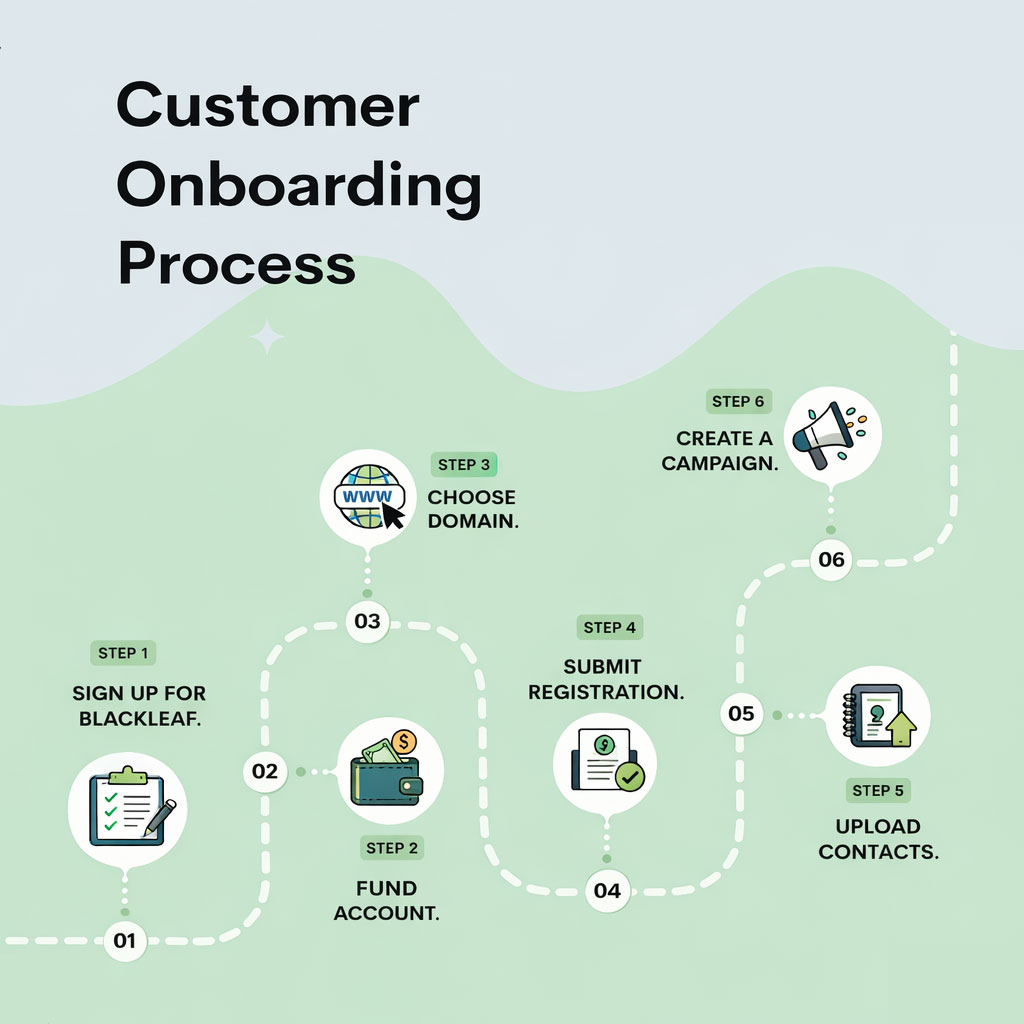
Dispensary SMS setup is a system. Carriers expect registration, customers expect clear consent and opt-out handling, and deliverability depends on how the program is configured from day one.
This guide organizes account setup, registration, contact preparation and a first-campaign review. The checkpoints help identify gaps; they do not guarantee approval, compliance or delivery.
Use the checkpoints below to catch missing information, unclear permissions and integration problems before the first campaign.
What to have ready before setting up dispensary texting
- Your legal business name, registration details, website and the person responsible for the messaging program.
- The actual use case, sample messages and opt-in flow used for registration.
- Consent records for imported contacts, including the disclosure shown and any existing opt-outs.
- The POS or ordering system you want to connect, the events you need and who can approve access.
- A monthly or annual billing choice, usage budget and a staff member who will review replies.
See current plans and registration charges before signup. A typical setup estimate depends on complete information, registration review and integration scope; it is not a guarantee of approval or delivery.
Check your onboarding inputs and next actions
Use this working checklist before a setup review or first campaign. It summarizes what your team has recorded, what is missing and where to go next. It does not inspect your account or approve sending. Supported existing-POS Texting does not require a Blackleaf POS switch.
Enable JavaScript to use the checker. The setup checklist above and manual review below remain available.
These are team-recorded notes, not independently verified product evidence. A recorded checklist does not grant carrier or provider approval, establish permission, guarantee delivery, activate a sender or authorize a test. Resolve the actual requirements for the business, message and route.
Use the manual readiness review
- Assign a setup owner and gather accurate business details and policies.
- Confirm the actual business, use case, sender and provider requirements; submission is not approval.
- Reconcile permission evidence, current withdrawals and audience exclusions.
- Review the plan, usage assumptions, fees and funding responsibilities.
- If applicable, confirm the supported connection and provider-switch handoff.
- Review the audience, message, destinations, authorized test evidence and staff ownership before a final human decision.
Use short internal reference labels. Keep customer records, tax IDs, payment details, credentials and private evidence URLs out of this page. Notes are not saved here; download a working copy before leaving. The checker performs no registration, import, account change or message send.
Page Summary
- Complete registration before scaling. Confirm the actual provider, use case and sender requirements, including 10DLC where applicable. Submitted is different from approved.
- Review billing and funding. Confirm the plan, usage budget, fees and any separately authorized reload settings.
- Import clean contacts. Reconcile permission evidence, current withdrawals and exclusions; a clean phone list is not permission to send.
- Launch with a small, testable campaign. Use an authorized test only after applicable prerequisites are satisfied; review audience, links, replies and suppression before launch.
Definition
Blackleaf onboarding organizes billing, applicable registration, contact preparation and campaign review. Actual provider acceptance, sender readiness, customer permission and operational review remain separate requirements.
If you want deeper background, use 10DLC for dispensaries, SMS opt-in for dispensaries, and dispensary SMS deliverability.
Before You Start
- Have your business info ready: legal business name, EIN, address, and website domain.
- Know who opted in: only upload contacts that have permission to receive your messages.
- Decide your sender identity: keep one consistent brand identity so recognition and trust build over time.
Carrier content enforcement matters. Carriers enforce restricted content categories and risky patterns. These rules are often summarized as SHAFT (Sex, Hate, Alcohol, Firearms, Tobacco), plus other regulated content and policy-based filtering. Confirm the actual business, content and destination are supported by the provider and route. Registration, wording changes or an age gate do not make a prohibited use case permissible.
Setup problems look like marketing problems later
If registration, consent, or list hygiene are weak, you can get short-term results and still lose long-term reach. Fix the foundations first so your program stays usable.
Step-by-Step Setup
Use this order to prepare a setup review. Screen images are walkthrough references; current workspace labels and supported steps may differ. Confirm the actual account status before relying on a saved or submitted step.
-
Sign up for Blackleaf. Create your account at /signup/ and complete the signup form.
Follow the current account-confirmation and access steps. Account access does not establish sender activation or message approval.
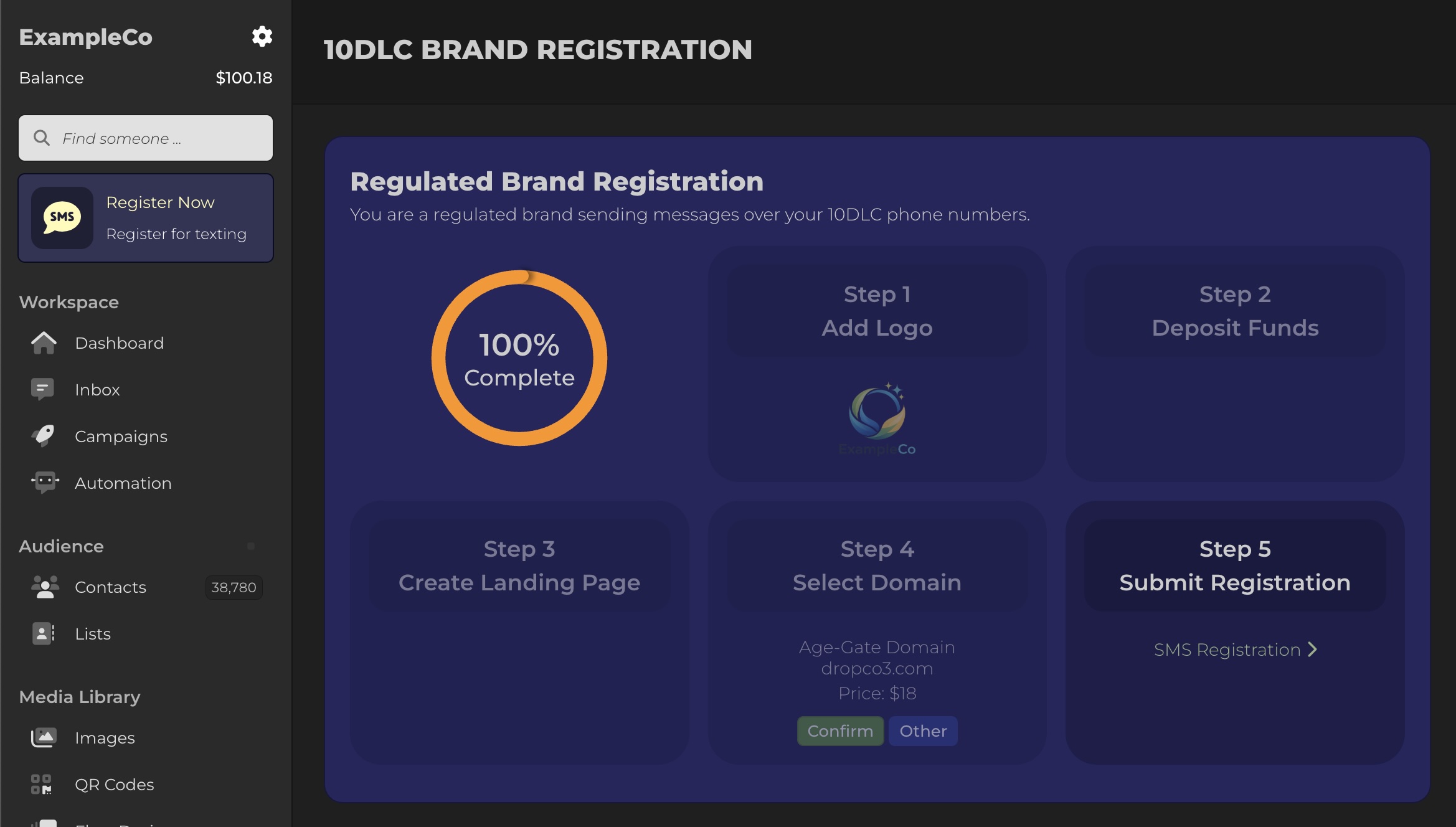
Blackleaf setup path from account creation through texting registration. -
Add payment information. Blackleaf uses a prepaid balance to send messages. Review the actual available balance, charges and funding status. A saved payment method does not guarantee funds or uninterrupted delivery.
Open the Balance area in your dashboard to add a payment method and view your current balance and usage.
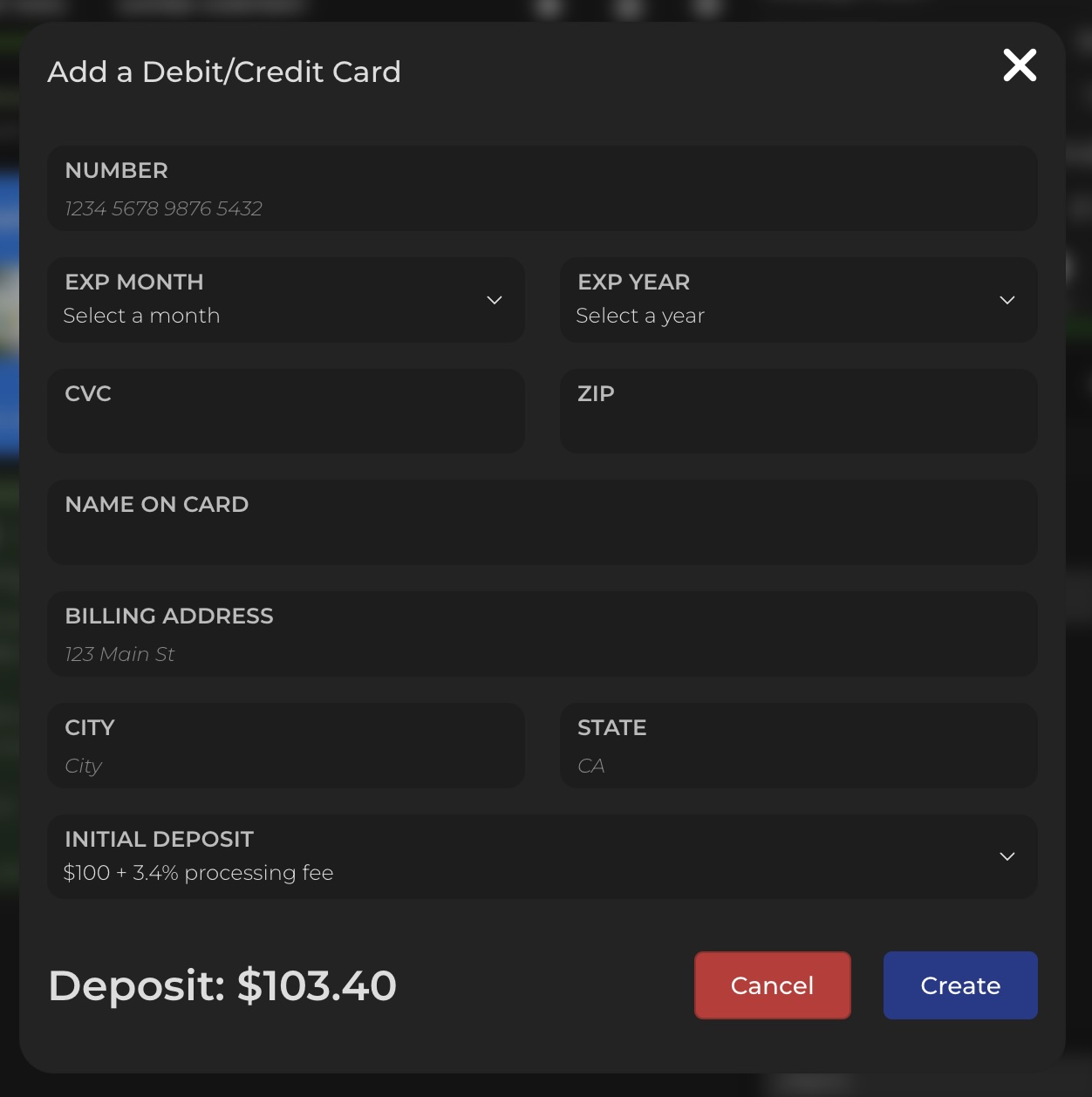
Add a payment method so you can fund messaging and registration. 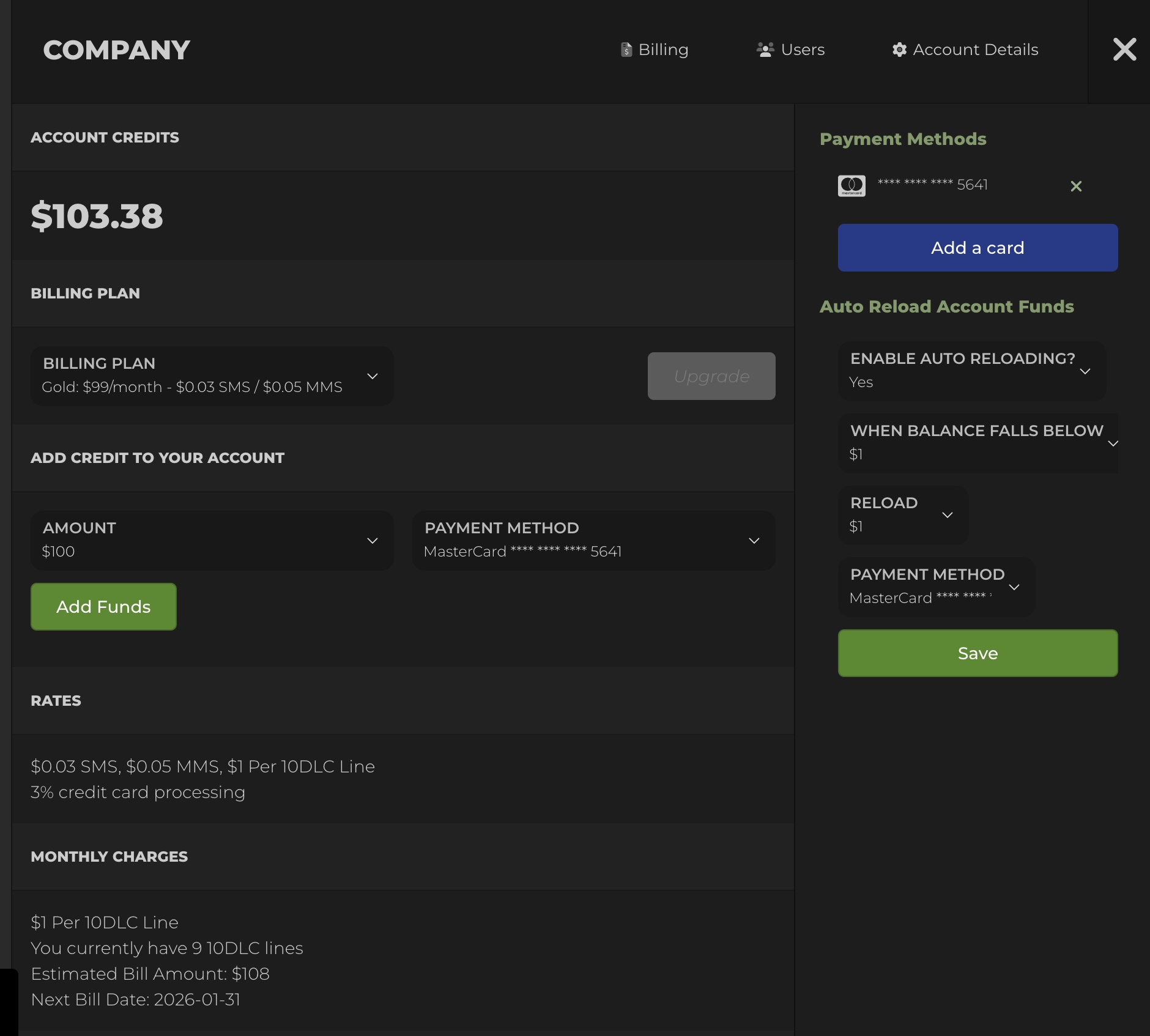
Use the account’s current billing view to review history and settings. -
Review optional auto reload. If the account supports it and an authorized budget owner chooses it, review the threshold, amount and payment status. A reload can fail and does not guarantee uninterrupted sending.
Open Billing in the navigation and set your reload threshold and reload amount.

Review any authorized reload settings alongside the actual available balance. -
Submit your 10DLC brand registration. U.S.-bound application messages using local ten-digit long-code numbers need the applicable 10DLC process. Other sender types have different requirements. Confirm the current Blackleaf process and actual provider acceptance of the business and message use case; registration is not a general cannabis messaging exemption.
In your dashboard, click Register Now and complete the steps.
- Upload your business logo
- Deposit initial messaging funds
- Select or confirm your sending domain
- Submit brand registration for carrier review

Brand and campaign registration setup inside Blackleaf. During registration, Blackleaf will help configure:
- Sending phone numbers and sending identity
- Preferred area code selection (when available)
- An age-gated landing page pattern (when needed)
- Domain and destination review for the actual supported use case
Registration steps are designed to reduce deliverability risk. Checkpoint What you are confirming Why it matters Brand and use case Registration matches what you actually send Mismatch increases filtering risk Domain and identity Consistent sender identity and destinations Consistency supports trust and recognition Opt-out handling STOP behavior works predictably Required for compliance and list stability If you want the deeper registration layer, use 10DLC for dispensaries. If reach ever declines, start with deliverability and carrier filtering.
-
Upload your contacts. Prepare the permitted contact file and the supported suppression handoff. Submission of registration does not approve a send or resolve missing customer permission.
Go to Contacts and choose Upload CSV. Your CSV must include a phone column. You can optionally include first name, last name, email, or date of birth.
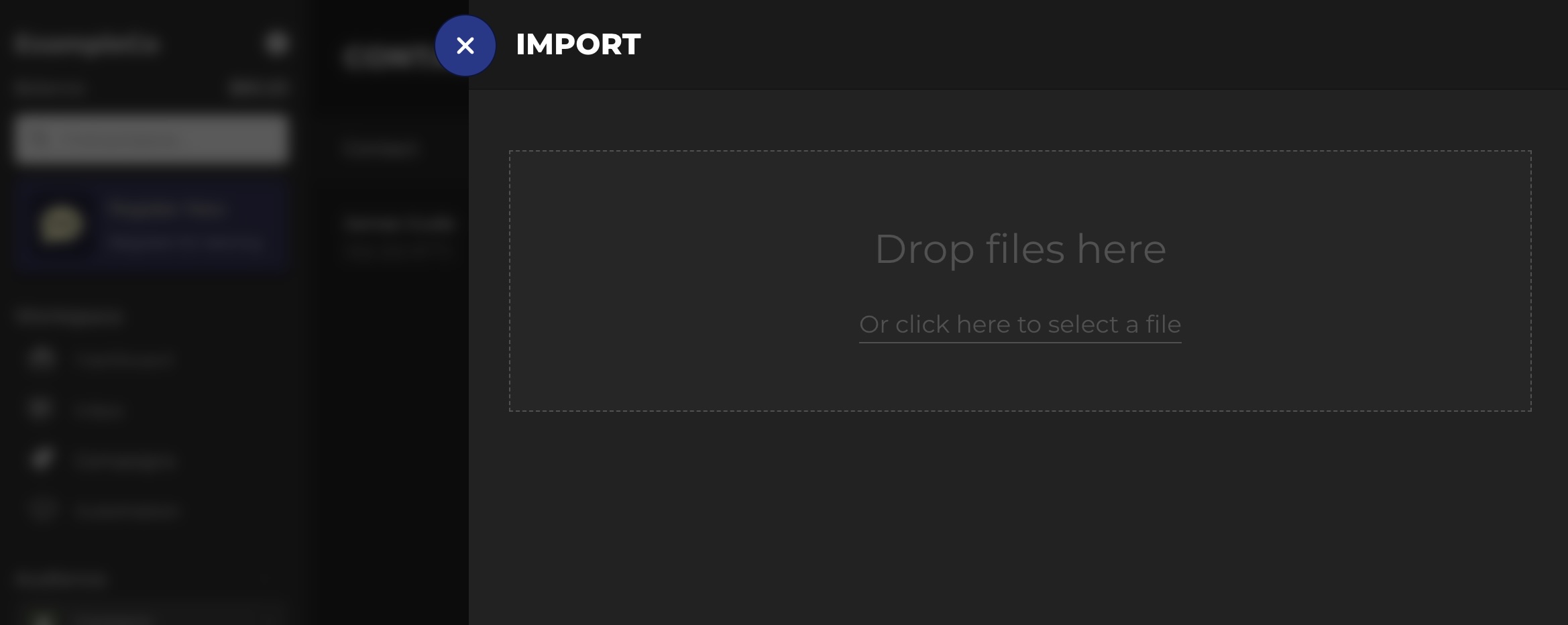
Upload contacts via CSV. During import, map each column to the fields you want stored.
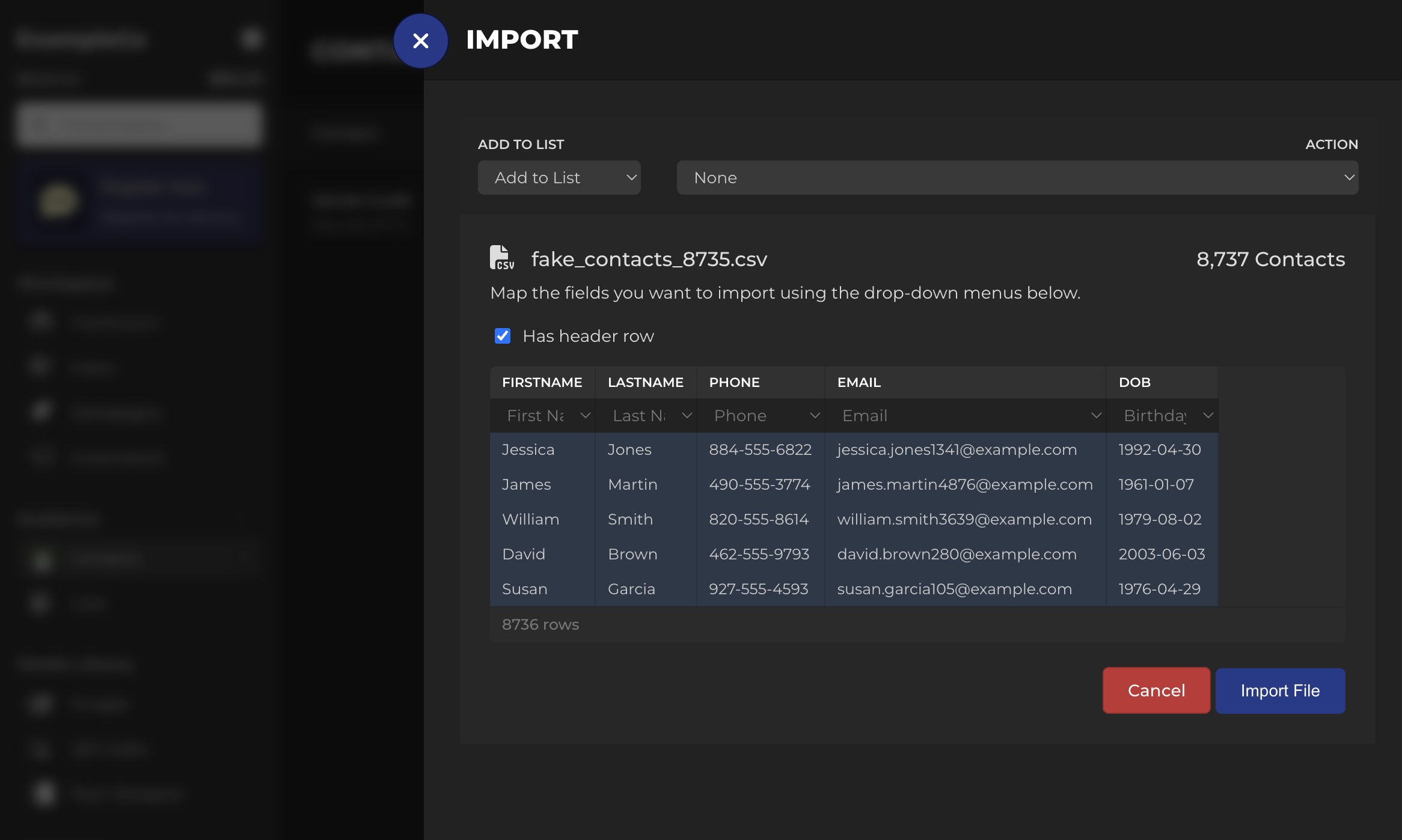
Map your CSV fields to contact properties. - Keep send eligibility and suppression separate. Do not import withdrawn or unresolved contacts as opted-in subscribers. Preserve authoritative withdrawals and use the supported suppression process before affected work is enabled.
- Normalize phone format. Use valid U.S. numbers and remove duplicates.
- Tag your list. Even basic tags like source and location make your first segments cleaner.
-
Create your first campaign. Prepare a draft in the current campaign workflow after the intended audience and exclusions have been reviewed. An upload or draft does not authorize sending.
Select an Audience

Start with a smaller audience so you can validate behavior safely. Review the Message and Use Case
Review sender identity, purpose, permission, content, destinations and applicable requirements. Available validation controls do not replace a responsible person’s review or provider approval.
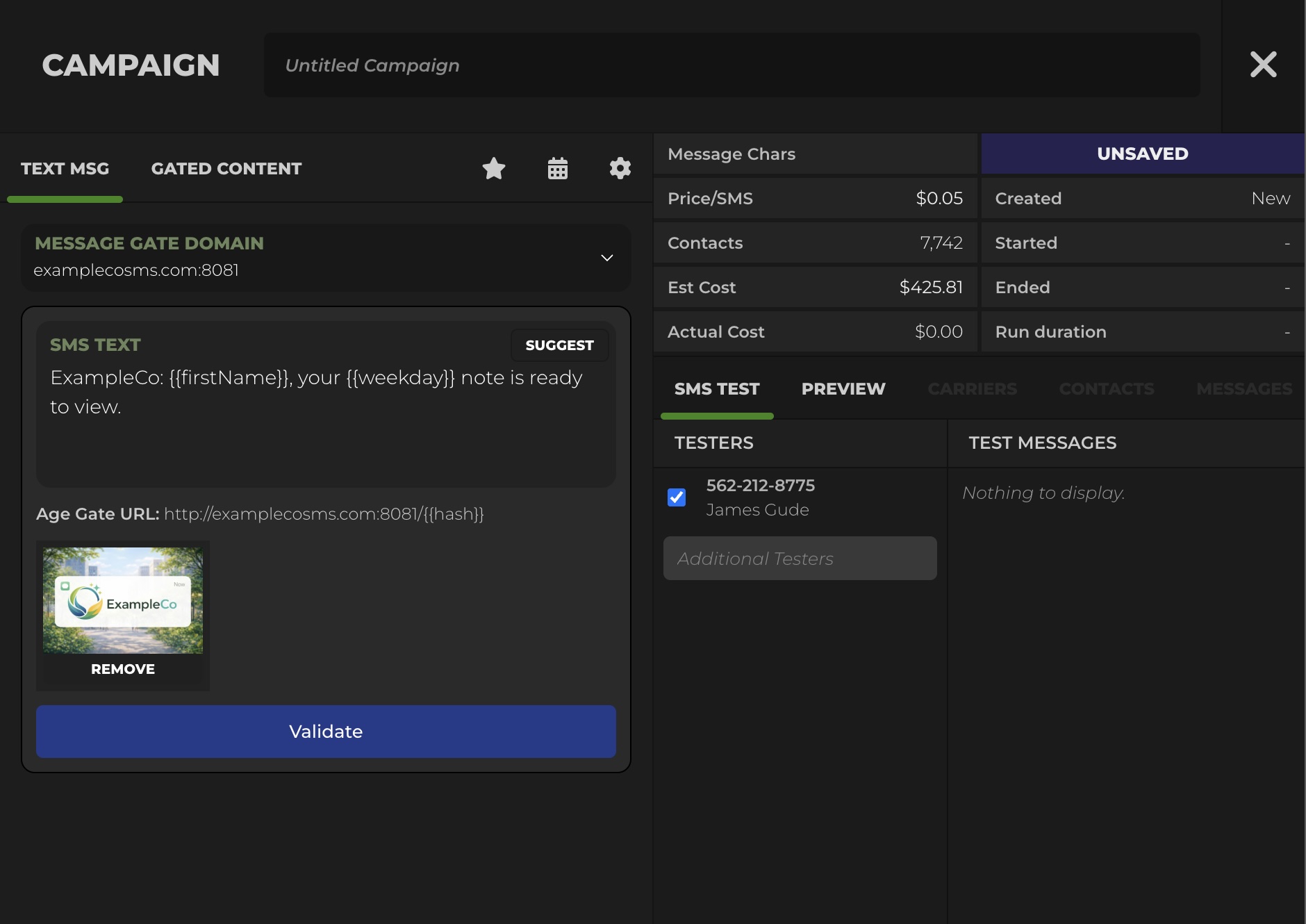
Use consistent identity, clear context, and predictable opt-out language. Create a Landing Page When Needed
If you are directing customers to details, host those details on an age-gated landing page pattern when appropriate.

Review the actual landing page, content and age controls; moving content to a link does not override provider restrictions. Test Before Sending to the Full List
Use only the authorized test process and permitted recipients after applicable provider and sender prerequisites are satisfied. Record the actual formatting, link, reply and suppression results; unresolved tests remain held.

Record what an authorized test actually showed and what remains unresolved. Launch and Monitor
Once live, Blackleaf provides visibility into campaign performance including:
- Carrier sends, failures, delivered, and unconfirmed
- Opt-outs and customer replies
- Link clicks
- Landing page views after the age gate
Review prerequisites before testing or launching
A small audience does not remove provider, sender or permission requirements. Hold affected work until the actual prerequisites and authorized test results have been reviewed.
Go Live Checklist
Use this list right before your first real campaign and whenever you add a new message type.
| Item | Pass condition | If not |
|---|---|---|
| 10DLC registration | Submitted and approved for your real use case | Hold affected sends and resolve applicable registration and sender requirements |
| Opt-in records | All recipients have permission to receive texts | Hold unresolved contacts and enforce current applicable withdrawals and exclusions |
| Opt-out handling | STOP works and suppression applies immediately | Resolve before affected tests or sends are authorized |
| Audience size | First send is limited and testable | Reduce size until results and behavior are stable |
| Message structure | Identity, context, one action, opt-out language | Rewrite and retest |
| Links | Links resolve correctly and match the destination expectation | Fix links, then retest |
Common Mistakes
- Uploading contacts that did not opt in. This increases complaints and reach instability.
- Skipping the test send. Formatting and link mistakes are cheap to catch early and expensive later.
- Changing identity frequently. Consistency supports recognition and reduces opt-outs.
- Mixing message types without rules. Without suppression, one customer can receive multiple messages close together.
- Scaling volume before registration alignment. If registration and behavior do not match, filtering risk increases.
If reach drops, start with deliverability troubleshooting and carrier filtering.
FAQ
How long does registration approval take?
Review timing depends on the actual provider, sender type, use case, completeness and additional review. Obtain the current account-specific status and estimate; this guide promises no approval date.
Can we send messages before registration is approved?
Do not treat a small test as an exception to provider or sender requirements. Keep affected work held until the applicable prerequisites and authorization are confirmed; then follow the permitted test process.
What is the safest way to launch the first campaign?
Confirm actual provider acceptance, sender readiness, current permission and suppression, then review authorized tests, links and staff ownership before a human launch decision. A smaller audience does not remove these requirements.
What should our first message say?
Keep it short, identity-forward, and expectation-aligned. Include clear context, one action, and opt-out language. Avoid risky content patterns and keep destinations consistent.
What if our delivery rate drops after we start sending?
Review the actual status, source evidence and prerequisites in the troubleshooting guide. Hold affected work where requirements are unresolved; a lower delivery rate alone does not establish a cause or justify a retry.
Do we need an age gate?
An age gate can restrict access to a destination, but it does not by itself verify age, establish valid consent or make a prohibited campaign permissible. Review the applicable age requirements, message content and destination for your actual use case.
Final Takeaway
Blackleaf provides a setup path for dispensary texting. Keep business/use-case review, sender readiness, customer permission, funding and operating ownership visible as separate checks.
Resolve missing inputs, confirm the actual approvals and exclusions, review authorized tests and document the human launch decision. Supported existing POS systems can remain in place.
Sources and Further Reading
FCC: Stop unwanted robocalls and texts
eCFR: 47 CFR § 64.1200 (TCPA regulations)
CTIA: Messaging Principles and Best Practices (PDF)
The Campaign Registry (A2P 10DLC)
Want your onboarding handled end to end?
Bring your actual business/use case, setup questions and missing inputs to a Blackleaf review. Confirm the supported provider route, sender requirements, contact preparation and operating owners before any launch.
Talk to Blackleaf