Blackleaf In-Store Displays
Dispensary menu screens
Show shoppers the product names, photos and prices they need before they reach the counter. Set up digital menu boards by category or collection, and use a separate queue display where your store calls ticket numbers.
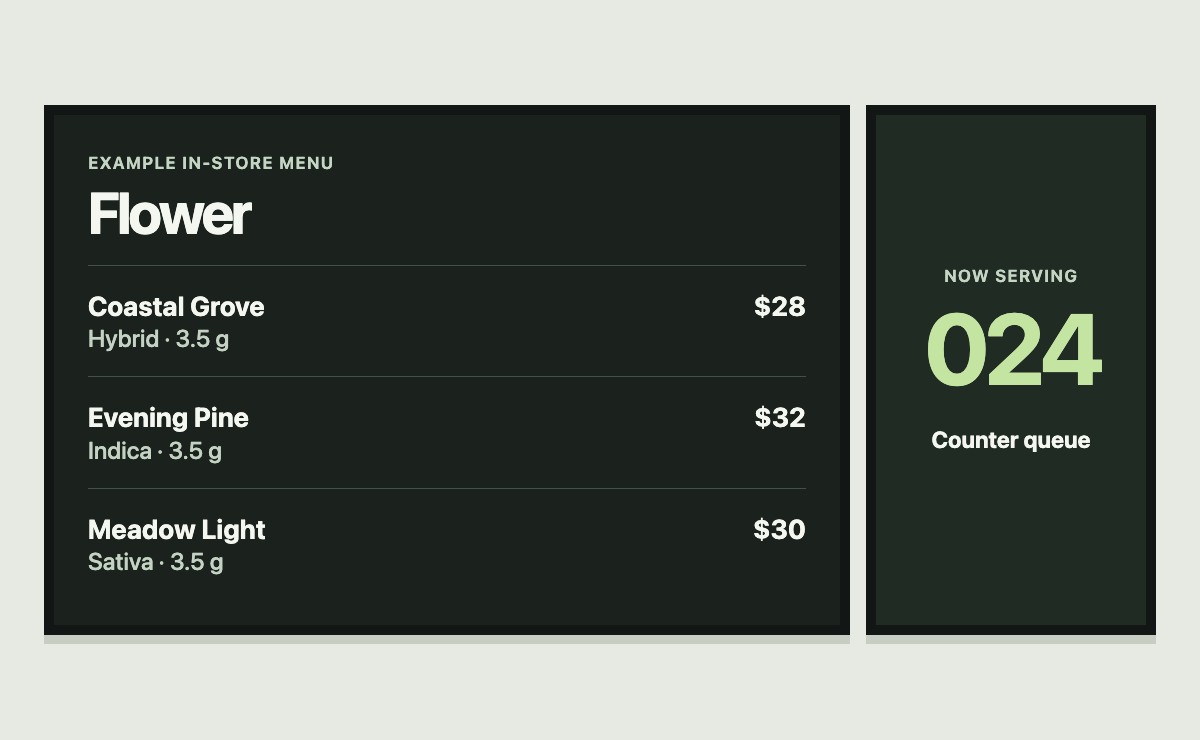
Give each display a job
Counter menus
Pick a category or collection for each board. Choose the first product, how many items to show and how many fit across a row. Display product names, available images and prices from the connected menu.
Featured products
Give a display its own heading and subheading. Keep a board focused on its assigned products when it needs to stay on a specific selection. Set up separate displays for categories shoppers compare frequently.
Queue updates
Use a queue display for the current ticket number. The queue screen can also show active promotional media when your setup provides it.
Plan the screens around what customers can read
- Choose the viewing distance. Check the smallest text from the back of the line. Feature fewer products when a crowded board becomes hard to read.
- Pick a layout. Group displays and choose landscape or portrait orientation. Preview the saved layout at the screen’s actual dimensions.
- Verify the data. Check a product, a price change and a temporarily unavailable item against the connected menu. Confirm what happens when the screen reconnects.
- Confirm the device. Bring the display model, player or browser, network setup and number of screens to the demo so Blackleaf can confirm the fit.
Dispensary menu screen questions
- Can different screens show different products?
- Yes. You can configure each menu screen with its own category or collection, heading and product count. Choose which screen should stay fixed on its assigned products.
- Can a screen call the next customer?
- A separate queue display can show the current ticket number from a configured queue. Confirm the queue workflow and the display location during setup.
- How do screen prices stay current?
- Screen content depends on the connected menu and its current data. Before using a screen at the counter, agree on the price source and verify an update reaches the display.
- How is a menu screen different from a dispensary website?
- The screen helps shoppers in the store browse products and see queue status. A dispensary website gives shoppers their own searchable menu, store details and online ordering flow.