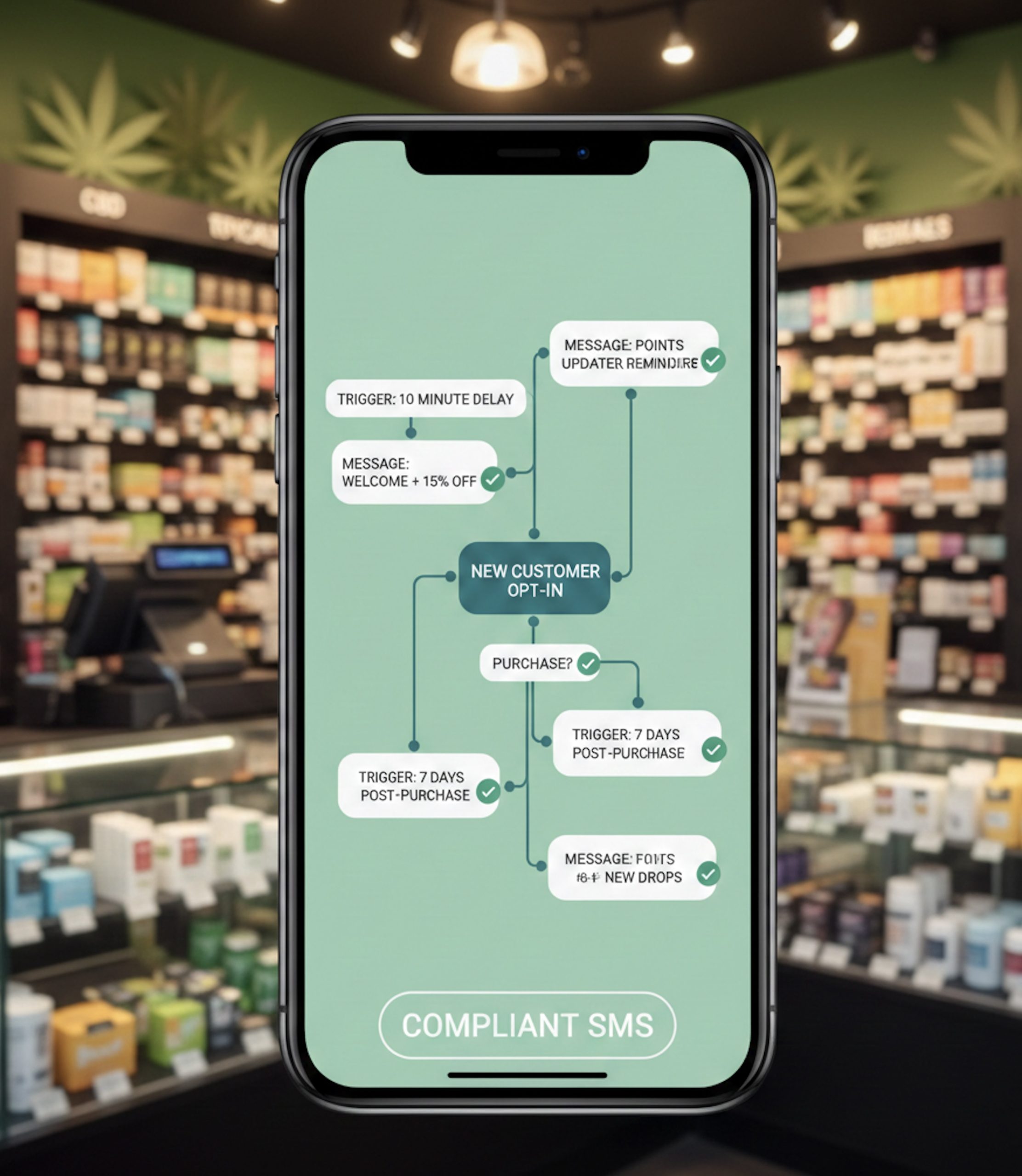
SMS automation flows for dispensaries: the operator summary
Build triggered texts that drive repeat visits, with consent and deliverability set up to protect revenue.
Overview
Automations beat blasts when timing matters: carts, pickups, first purchase, lapse windows.
Start with 4 core flows: order notifications, abandoned cart, winback, and birthday.
Suppression is revenue protection: prevent stacking flows plus campaigns on the same subscriber.
Measure per flow: delivery rate, revenue per send, conversion per trigger, and opt-outs.
If you want the platform-level overview of how automations run in Blackleaf, start with Dispensary SMS Automations.
What are SMS automation flows for dispensaries?
A snippet-ready definition, plus what “best” actually means
Dispensary SMS automation flows are triggered text sequences that send automatically when a customer or system event happens, like an order status update, cart inactivity, a first purchase, or a defined number of days since last visit.
Best does not mean the most steps or the most sends. For dispensaries, best means revenue outcomes you can measure from messages that keep landing consistently as you scale locations, segments, and volume.
When triggers come from transactions, POS texting for dispensaries keeps the event data, timing, and message types clean.
What makes an SMS automation program “best” for a dispensary?
An evaluation rubric built around ROI, deliverability stability, and operational control
Use these criteria to evaluate a platform or to audit your current setup. Results are the destination. Compliance and deliverability are the travel that protects your revenue channel.
Deliverability stability: flows keep landing across carriers, not just right after launch. Use Dispensary SMS Deliverability as your reference.
Consent integrity: the right opt-in covers the right message type. If you need the canonical consent guide, use Opt-In and Consent for Dispensary SMS Marketing.
Suppression and frequency control: automations and campaigns behave like one coordinated customer experience.
Measurement tied to revenue: revenue per send and conversion per trigger, not vanity metrics. A quick audit tool is Dispensary SMS Strategy Assessment.
Multi-location governance: location targeting and shared rules without cross-store chaos.
Integration and flexibility: POS and e-commerce triggers, plus the ability to change logic as operations change. See Dispensary SMS Integrations.
The automation triangle
Timing converts, measurement proves, deliverability keeps the channel alive
Which SMS automations should dispensaries build first?
Start where data is clean and intent is obvious
The fastest wins usually come from flows that are tied to a transaction or near-transaction. They fire at the right moment, feel expected to the customer, and are easier to attribute.
Order notifications: reduce missed pickups and support retention by keeping the experience smooth. See Dispensary Order Notification Texts.
Abandoned cart: recover revenue while intent is still warm. See Abandoned Cart SMS for Dispensaries.
Winback: bring back lapsed customers using clear lapse windows. See Dispensary Winback SMS.
Birthday: a lifecycle touchpoint that can drive a return visit when timing and suppression are tight. See Dispensary Birthday Text Automation.
For copy you can adapt quickly, use Dispensary SMS Templates.
How to build a triggered SMS automation flow
A step-by-step process that stays stable as you scale volume
Most automation problems come from unclear triggers, consent mismatches, and missing suppression. Build every flow with the same structure so you can diagnose issues fast.
Pick one revenue goal. Examples: recover carts, reduce missed pickups, increase repeat visits, improve second purchase rate.
Define the trigger precisely. Use observable events like “cart inactive for 60 minutes” or “no purchase in 60 days.”
Choose the message type. Transactional (operational) or promotional (drives a purchase). Keep intent clean.
Map consent to the message type. Only send to subscribers whose opt-in covers that intent. Use SMS Opt-In for Dispensaries if you need a refresh.
Write the first message to match the trigger. Context first, then the next step. For writing patterns, see How to Write Dispensary SMS That Drives Sales.
Add suppression and frequency caps. Prevent overlap with other flows and with campaigns.
Set stop conditions. Purchase, pickup, reply, or opt-out should immediately exit the flow.
Roll out in phases. Start with a small segment, validate delivery and opt-outs, then expand.
Monitor weekly. If reach drops, use SMS Deliverability Troubleshooting for Dispensaries.
Automation launch checklist
The pre-flight list that prevents over-texting and protects deliverability
Trigger: based on a real timestamp and explainable in one sentence.
Audience source: you know exactly where the phone numbers came from and what they opted into.
Consent mapping: message type matches consent type for every recipient.
STOP and HELP: verified in a live test; STOP immediately exits the flow.
Suppression: rules prevent this flow from stacking with other sends on the same subscriber.
Frequency cap: one limit across all promotional sends, including campaigns plus automations.
Timing windows: respects store hours and avoids late-night sends.
Copy variation: no repeated lines across steps that look like duplicates to customers or carriers.
Stop conditions: purchase, pickup, reply, and opt-out end the automation reliably.
Reporting: performance is separated by flow (not blended with blasts).
Structural contrast: why automation programs break as they scale
Common trade-offs, and the Blackleaf approach
Many platforms: build fast, then untangle overlap later
Blackleaf: build safeguards first, then scale revenue
Suppression rules that protect automation ROI
Simple guardrails that reduce opt-outs and stabilize sending patterns
Suppression is not a “nice to have.” It keeps the customer experience coherent and protects your ability to reach the list tomorrow.
Blackout promotional automations after a campaign send. Use a short window so subscribers do not get hit twice.
Cap total promotional sends per subscriber per week. One ceiling across campaigns plus promotional automations.
Separate transactional from promotional. Keep order updates operational and expectation-driven.
Exit winback immediately on purchase. Reset the lapse clock when the customer comes back.
Block duplicate copy. Do not let multiple flows send the same line within a short period.
Message examples by flow
Short, contextual, and clear about intent
Abandoned cart, 60 minutes: “Hi {firstName}, you still have items in your cart at {storeName}. Want help checking out? Reply HELP.”
Abandoned cart, next day (marketing consent required): “Quick reminder from {storeName}: your cart is still saved if you want to finish checkout. Reply STOP to opt out.”
Winback, 60-day lapse: “Hi {firstName}, it’s been a bit since your last visit to {storeName}. Want us to text you when your preferred categories are in stock? Reply YES.”
Birthday, in-window: “Happy birthday, {firstName}. Thanks for being part of {storeName}. If you need anything for pickup today, reply here.”
Pickup ready (transactional): “Your order at {storeName} is ready for pickup. Hours today: {hours}. Reply HELP if you need to adjust pickup.”
Common mistakes that hurt automation ROI
Fix these before you add more sends
No suppression: customers get stacked flows plus campaigns in the same day.
Consent mismatch: marketing flows go to subscribers who only opted in for operational updates.
Mixed message types: promotional language inside operational threads creates confusion and increases filtering pressure.
Duplicate copy loops: repeating the same sentence across steps reduces performance and can trigger carrier filtering.
Bad timing: reminders fire long after the trigger or when the store is closed.
Missing stop conditions: flows keep sending after a purchase, reply, or opt-out.
If you suspect filtering is involved, start with Carrier Filtering for Cannabis SMS.
Comparison table: which automation to build first
Prioritize trigger quality and operational clarity before creative complexity
| Flow | Trigger | Message type | Deliverability sensitivity | Recommended cadence | First message example |
|---|---|---|---|---|---|
| Order notifications | Order placed or status change | Transactional | Low if operational only | Per order event | Your order at {storeName} is ready for pickup. Hours: {hours}. |
| Abandoned cart | Cart inactive (example: 60 minutes) | Promotional | Moderate | 1 to 2 reminders per cart | You still have items in your cart at {storeName}. Reply HELP if needed. |
| Winback | No purchase (example: 45 to 90 days) | Promotional | Higher | 1 touch per lapse window | It’s been a bit since your last visit to {storeName}. Want updates? Reply YES. |
| Birthday | Birthday window | Promotional | Moderate | Once per year, tight window | Happy birthday, {firstName}. Thanks for being part of {storeName}. |
| First purchase follow-up | First completed order | Transactional or promotional (choose one) | Low to moderate | Once per customer | Thanks for your first order with {storeName}. Reply here if you have questions. |
| Two-way issue resolution | Customer reply or order exception | Transactional | Low | As needed | Thanks, we can help. Reply with your pickup name and we’ll take a look. |
Automation KPIs that actually prove ROI
Track these per flow so you can scale what pays
Trigger-to-send time: how fast the message is sent after the event timestamp.
Delivery rate by flow: watch automations separately from campaigns so issues do not get hidden.
Revenue per send (by flow): attributed revenue divided by delivered messages for that automation.
Conversion per trigger: cart completion, pickup completion, or return visit after winback.
Opt-out rate per flow: the fastest signal your message is unexpected or too frequent.
Reply rate and resolution time: important for order issues and operational support.
Suppression hit rate: how often safeguards block a send because another message just went out.
Incremental lift vs holdout: when possible, keep a small group out of the flow to validate true lift.
To improve results without increasing send volume, use A/B Testing Dispensary SMS to test timing and copy.
FAQ
Can a dispensary use SMS automation without sending promotions?
Yes. Start with transactional flows like order notifications and pickup reminders. Keep the copy operational and expectation-driven so delivery stays stable as volume grows and you add more automations.
Are abandoned cart and winback texts promotional or transactional?
In most programs, they are promotional because the goal is to drive a purchase or a return visit. Map them to marketing consent and keep them separate from order update threads to protect reach and reporting clarity.
What happens when automations and text blasts overlap?
Subscribers get multiple messages close together, opt-outs rise, and carriers can filter more aggressively. Fix it with suppression windows, a weekly frequency cap, and a clear rule for when promotional automations pause around campaigns.
What should a dispensary do if deliverability drops on one automation?
Pause scaling that flow and check three things first: consent mapping, audience targeting, and copy repetition. Then adjust pacing and re-test on a small segment before you increase volume again.
What happens when a customer replies STOP in the middle of a flow?
They should be opted out immediately and the automation should stop for that number. That prevents wasted sends and helps keep your overall sending reputation stable, which protects revenue from future campaigns.
Does 10DLC registration impact automated flows?
Yes. For application-to-person texting, carriers expect registered brand and campaign use cases. Clean registration supports stable throughput and delivery so your highest-ROI flows keep landing.
Should automation copy look different from campaign copy?
Yes. Automation should read like it was triggered by something specific and it is usually shorter. If it reads like a generic blast, conversion drops and opt-outs rise, even when the trigger is correct.
Want help building your first set of revenue-driving SMS automations?
Launch the core flows, set suppression rules, and keep deliverability stable as you scale.
If you already have POS or e-commerce data, Blackleaf can help map clean triggers, message types, and measurement so you can see revenue per send by flow.
Talk to Blackleaf