Video captions now have their own post-production workflow. You can keep an original video, generate a transcript from its audio, style synchronized captions, and create a separate version with those captions baked into the video.
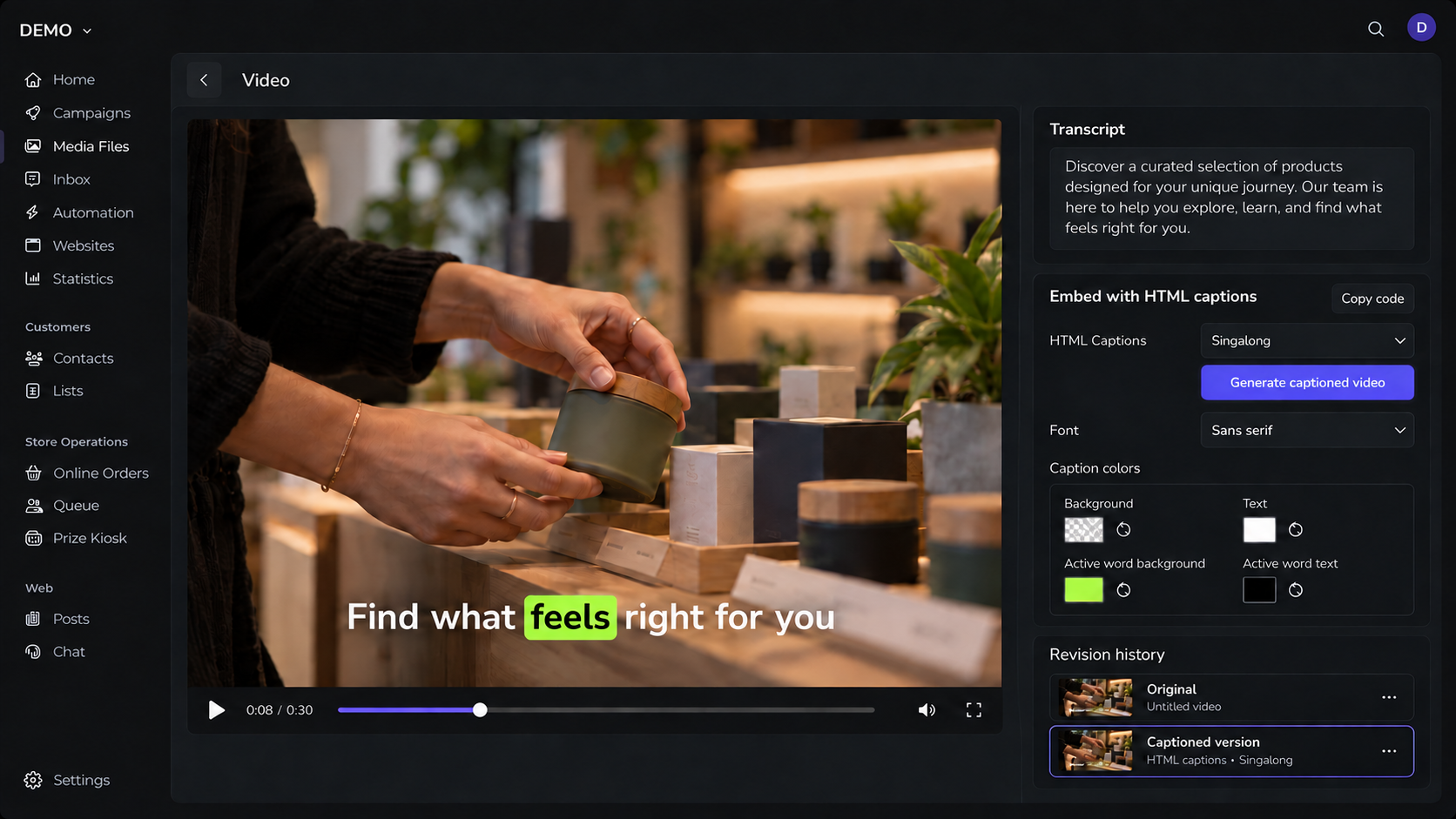
Table of Contents
Choose how captions appear
Caption options include no captions and several display styles, including singalong, one word at a time, karaoke, and bubble emphasis. The preview updates on the video as you change the style. You can also choose a font and set the background, text, active-word background, and active-word text colors. Brand colors can provide the starting point.
Use the same timing in an embed
For a source video with a transcript, the embed control provides code for styled HTML captions that play in sync with the video. The copied embed reflects the selected caption style and colors, making it possible to use captions in a page without permanently changing the source file.
Keep the original and the finished version
When you generate a video with captions baked in, Blackleaf saves it as a revision of the original. The finished revision is also available directly in the gallery and project gallery. Caption controls stay with the source video; they are hidden on the version where the captions are already part of the picture.
Why this matters
Speech and captions need a final editorial pass. Keeping the transcript, live HTML presentation, and baked deliverable connected gives teams more control over readability and reuse without losing the source video.