Media Creator gives images and videos a shared workspace. Add references, choose a brand, describe what you want to make, and review the result in the gallery. Projects keep the prompt and output connected so it is easier to continue an idea later.
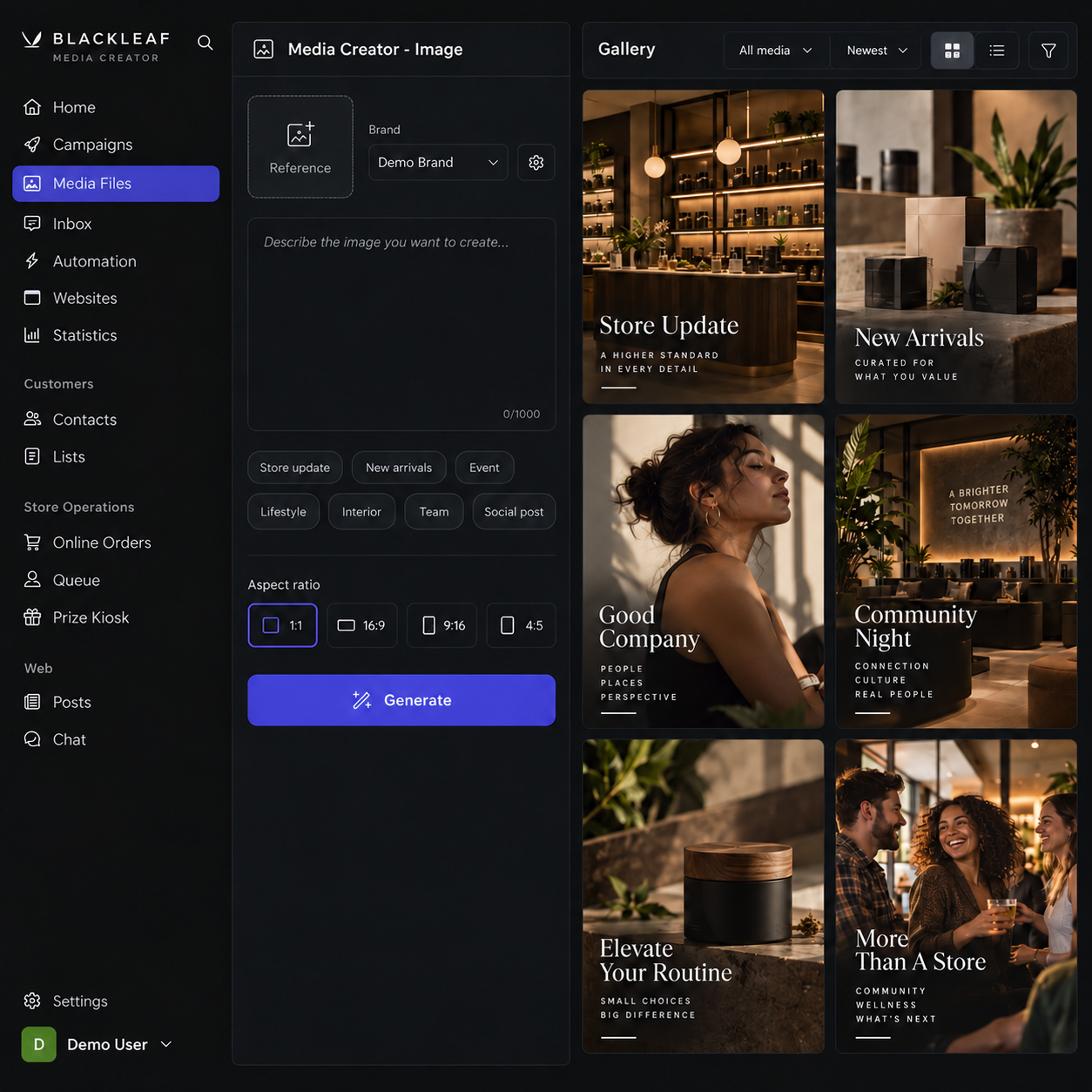
Table of Contents
Start with a reference or a direction
Reference images and a written prompt can shape a new image or video. The creator keeps the chosen brand, format, and generation controls near the prompt, so you can adjust the output without hunting through separate screens.
Keep the useful work together
The project view brings recent work and generated assets into the same flow. Open an asset to inspect its details, revisit the prompt, or continue from it. The Recent Projects section appears when there are projects to show and stays hidden for an empty workspace.
Find every version in the gallery
Generated revisions are visible as gallery items as well as in the original asset’s history. That means a refined output can be found directly from the gallery or project gallery, while its relationship to the source remains intact.
Why this matters
Creative work rarely ends after one result. Media Creator makes it easier to move from reference to output, compare iterations, and find the version you actually want to use.