Setting up texting now follows one guided path. The workspace brings brand details, domain, business information, plan choice, and review into a clear sequence, so you can see what is complete and what needs attention before moving forward.
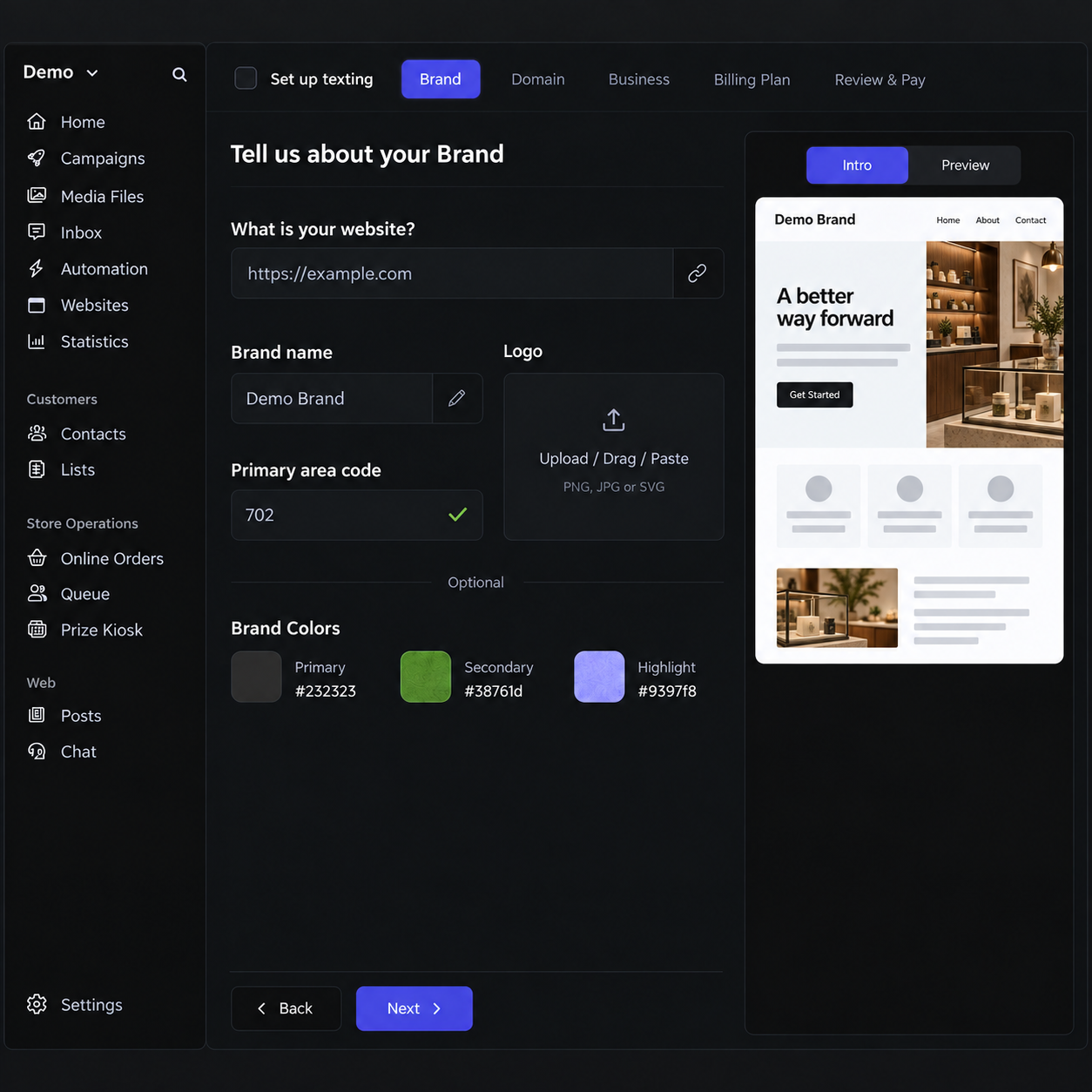
Table of Contents
Know where you are
The setup header shows each step and its status. You can move through Brand, Domain, Business, Billing Plan, and Review & Pay with the current task in view. A saved application can be reloaded if you need to return later.
Prepare the brand and business details
Add a brand name, the primary area code you serve, and an optional logo. The brand image review reports its result in the same form. Business details and domain setup follow in their own steps, keeping the information needed for registration together.
Compare plans before checkout
Plan choices show the monthly price, registration charge, and amount due today in one table. Scale is marked as recommended and selected by default, while the other plans remain available. SMS and MMS rates sit below each plan name so the recurring cost and per-message price are easy to compare.
Why this matters
Texting setup includes decisions that affect both your brand and your bill. Keeping progress, validation, pricing, and the final review together makes it easier to finish confidently and spot a missing detail before payment.