Branded Email Campaigns and Newsletters

Table of Contents

Email now has a home in Blackleaf. Set up a branded sending identity, build a newsletter, and manage an email campaign alongside the rest of your customer messaging.

The new workflow keeps the operational details visible: which domain sends the message, where replies go, what the customer sees, and how sending capacity changes while a domain warms up.

Set up a sender customers recognize

The guided email account setup walks through domain, sender, and review. Use a domain already in your workspace, connect one you own, or choose a new domain. Blackleaf uses a separate mail subdomain so your website and existing inbox can stay where they are.

Choose a sender name and address, verify a reply-to inbox, and add the business mailing address that belongs in your email footer. Before setup, you can review the sender details and any one-time charge. Domain verification and status remain visible afterward.

Start a newsletter without a blank canvas

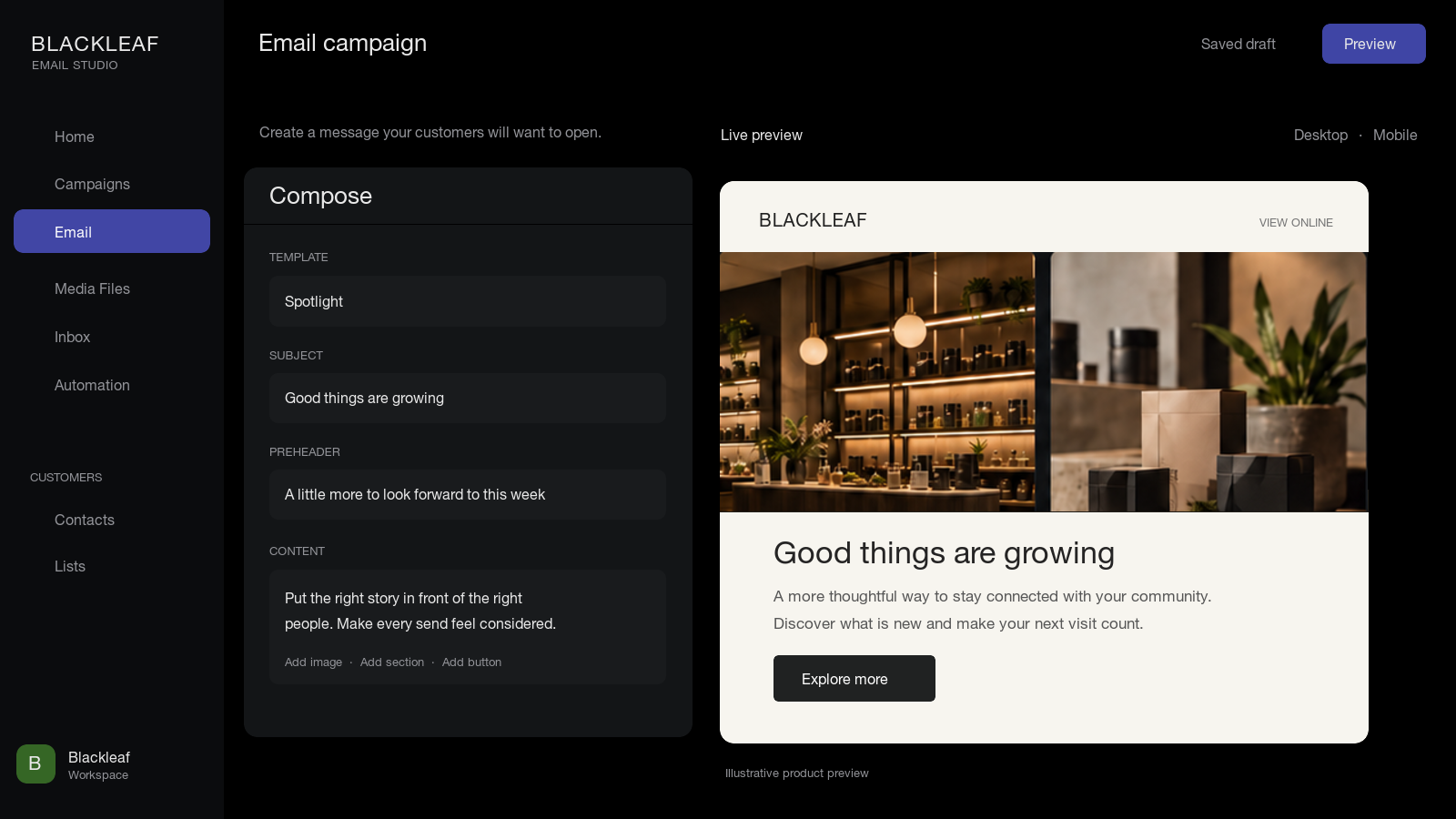
The newsletter builder offers three starting layouts: Spotlight for one announcement, Collection for featured items, and Digest for recurring updates. Pick a layout, bring in your brand, and add the subject, headline, links, and content.

Brand assets, header and footer details, and artwork can be reused for the next newsletter. Generated image sections remain editable, and a preview lets you review the complete email before adding it to the campaign editor.

Keep campaign sending understandable

Email campaign controls include test sending and a view of sending activity. For a new sending domain, warm-up settings show the current mode and daily limit, with an automatic option. A warm-up campaign can be created as a draft from eligible email contacts; creating it does not schedule or send it.

These controls make it easier to check readiness and pace before a broad send, while keeping campaign content and sending status in the same workflow.

Why this matters

A useful email program needs more than a template. It needs a sender people recognize, a reliable reply path, a clear message, and visibility into delivery. Blackleaf now connects those pieces so teams can build an email campaign with the same care they bring to texting.