The list editor now starts with a clear choice: bring in a CSV file or build an audience from the customer data already in your workspace. Both paths keep the list name, targeting, and contact preview together.
Bring in a file without losing the review step
Drag in a CSV, choose a file, or paste CSV data. Review and match the columns before importing. Source files remain visible in the list workflow, making it easier to understand where the contacts came from.
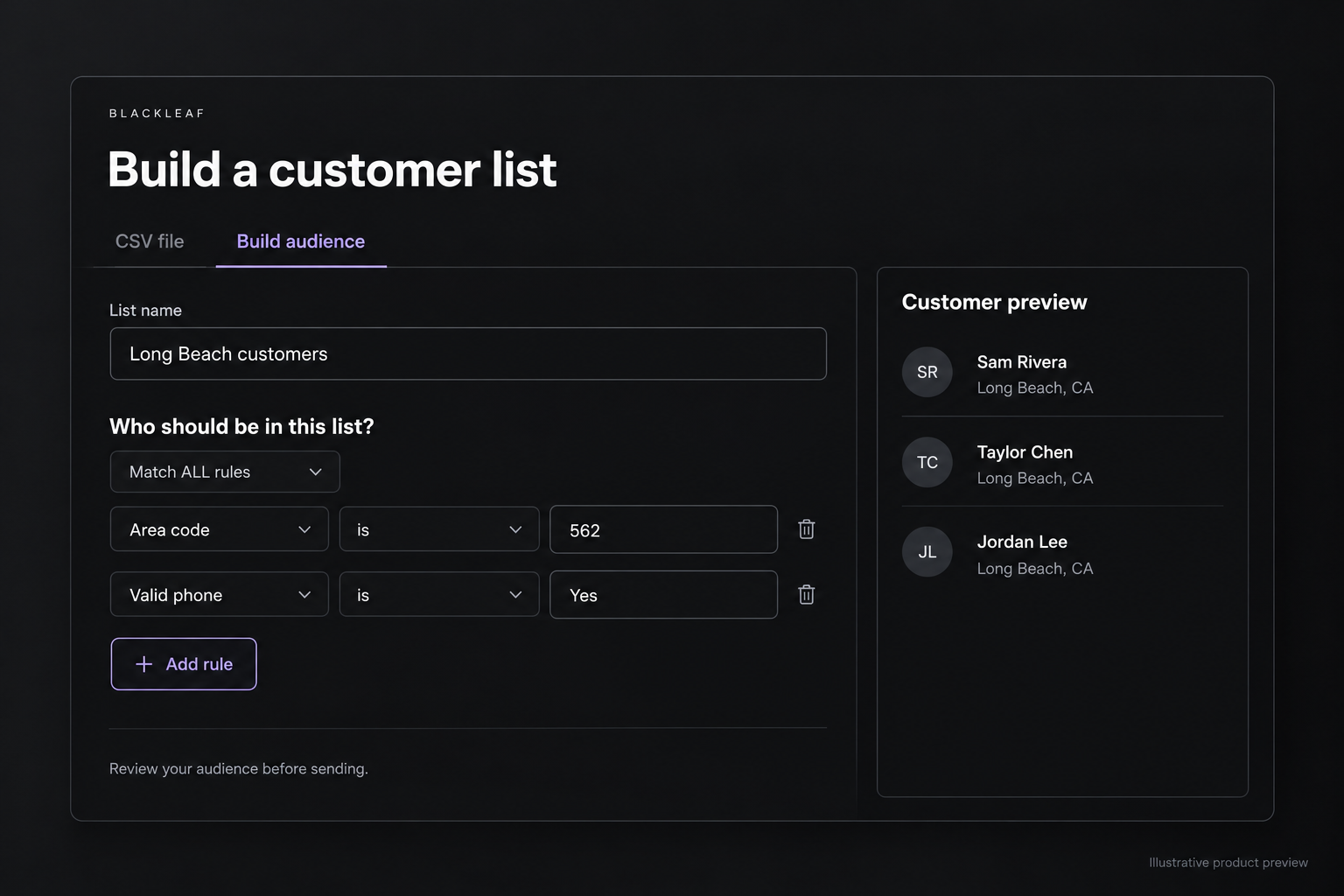
Build an audience you can explain
Choose a starting audience, use AI to help prepare the criteria, or add rules yourself. Match all rules or any rule, and group conditions for more specific targeting. Available starting points reflect the customer and purchase data connected to your account.
See who matches
The preview shows contacts alongside the criteria you are editing. Rule-based lists update as customer records match the saved conditions. More consistent preview ordering makes it easier to move between pages without repeated rows when purchase dates are missing or equal.
Reuse the list across your workflow
Save the audience for campaigns, and download the preview as CSV or JSON when you need to inspect it elsewhere. The saved-list API and MCP tools also support workspace lists and explicit number inclusions or exclusions. List membership does not override a customer’s global unsubscribe status.